blog
Scheduled jobs that alert through Telegram: why the most important message gets lost silently
I audited my launchd jobs and my ops tool against 6 agent-automation principles from Anthropic and found the same bug in every script: the send function always succeeds, then state moves forward even though the message never arrived. Here is the fix, how to test the failure branch, and a heartbeat to know a job is still running.
- Published
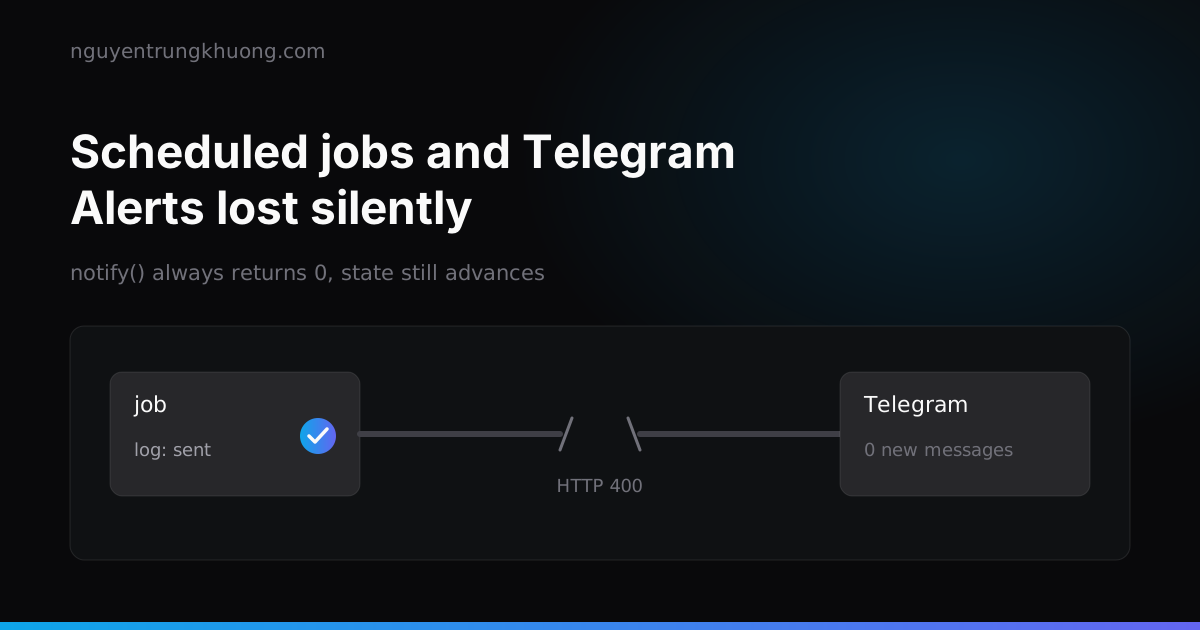
Scheduled jobs that send alerts through Telegram tend to break in one place: the send function always reports success, then the script records "alerted" even though the message never arrived. On the next run the job sees that its state has moved on and does not send again. I found this bug in every shell script I own and in 2 places in my ops tool, which is written in Go. This post covers how I fixed it, how to test the failure branch, and 2 things I added afterwards: a heartbeat for each job and a morning digest assembled by code, with no LLM call.
Context: one Mac, many small jobs
On my work Mac I run a set of launchd jobs on a schedule:
- A job that watches kernel memory and warns before the machine panics.
- A weekly scan for vulnerabilities in WordPress plugins.
- An uptime check across my sites, every few minutes.
- A weekly PageSpeed run that alerts when scores drop.
- A job that pulls backups down from a server.
- A job that syncs the source of a reference plugin.
There is also a self-written ops tool running in the background. It watches Claude Code sessions and CI status, and warns when a secret leaks. Everything reports to Telegram.
On 10 Nov 2026 I checked each job against the 6 principles in Building effective agent automations from Anthropic. The article describes a scheduled agent that reads Slack and GitHub and posts a digest to Slack, but the principles fit any job that runs unattended:
- Read each source from a bookmark, not a fixed time window like "the last 24 hours".
- Report a source that failed to read as unreadable, never as a quiet day.
- Re-check every item right before sending.
- Count a message as sent only when the destination confirms it, then update the bookmark.
- Re-read preferences on every run, from a place the agent cannot edit, instead of hardcoding them in the script.
- Read-only access wherever the job only reads, and a cost cap for each run.
Principle 4 is where nearly every job of mine was wrong.
The shared bug: notify() always returns 0
Every shell script of mine has a near-identical notify() function:
notify() {
  local token
  token=$(security find-generic-password -s telegram-bot -w 2>/dev/null) || return 0
  curl -s -X POST "https://api.telegram.org/bot${token}/sendMessage" \
    -d chat_id="$CHAT_ID" --data-urlencode text="$1" >/dev/null || log "notify failed"
}
It looks fine. In practice it never returns an error:
- If the token cannot be read, it does
return 0. curlhas no-f, so when the Bot API answers HTTP 400 or 401,curlstill exits 0.- Nobody reads the
"ok"field in the JSON response. - A network error is swallowed by
|| log, andlogexits 0.
The caller looks like this:
notify "URGENT: kernel memory is about to hit the limit"
echo "$new_level" > "$STATE_DIR/level"
log "sent level $new_level"
The message fails, the state still moves forward, the log still says "sent". Anyone reading the log later believes the message arrived.
The damage differs per job
Same bug, but the damage depends on the state each job records:
| Job | State written after notify | What a failed send causes |
|---|---|---|
| Kernel memory watch | Alert level already sent for this boot | The URGENT "about to panic" message is never resent until the machine reboots |
| Plugin vulnerability scan | Adds the vulnerability to seen.txt | The message is lost for good |
| Uptime | The last timestamp, set even before sending | The first "site down" message is lost, and you only learn at the next reminder |
| Weekly PageSpeed | An implicit bookmark: last week's directory, which always advances | That week's score drop is never reported again |
The panic watcher is the worst case: it exists to send exactly one message at exactly the right moment, and that is the message most likely to be lost.
The fix: return an error when delivery is uncertain
The condensed version of the function after the fix returns non-zero whenever the message may not have arrived, and the caller writes state only when it returns 0:
notify() {
  local token resp code
  token=$(security find-generic-password -s telegram-bot -w 2>/dev/null) || return 1
  resp=$(curl -sS -w '\n%{http_code}' -X POST \
    "https://api.telegram.org/bot${token}/sendMessage" \
    -d chat_id="$CHAT_ID" --data-urlencode text="$1") || return 1
  code=${resp##*$'\n'}
  [ "$code" = "200" ] || return 1
  case "${resp%$'\n'*}" in *'"ok":true'*) return 0 ;; esac
  return 1
}

if notify "URGENT: kernel memory is about to hit the limit"; then
  echo "$new_level" > "$STATE_DIR/level"
  log "sent level $new_level"
else
  log "send failed, level kept at $old_level"
fi
When a send fails, the next run still sees the old state and sends again. The price is an occasional duplicate when Telegram received the message but the response got lost on the way back. For alerts, a duplicate beats a lost message.
The same bug lives in the Go service. The secret-leak alert set notified[key] = true before sending, and the send queue lived in memory, retried 3 times, then gave up, so a daemon restart dropped the queue. The fix writes a "notified" event only when Telegram returns ok. A 4xx error or a full queue counts toward a cap of 5, while network errors, 429 and 5xx do not count and are left for the next scan to resend.
A source that fails is not a quiet day
Principle 2 catches a different group of bugs: the job cannot read its source but behaves as if there is nothing to report.
- The vulnerability scan with a missing API key does
exit 3immediately, before the failure counter. The "alert after 3 weeks of failures in a row" counter never runs. - The uptime job, when the Mac is offline, skips that run without counting it. Lose the network for a whole afternoon and nobody knows uptime was not checked.
- The PageSpeed job ignores the exit code of the measuring command. A URL that failed to measure disappears from the summary, counts as "no drop", and next week the baseline is incomplete.
- The plugin sync job, when a download fails on the network, records the plugin as "paid or custom", mixed in with plugins that really are paid.
- The ops tool, when
gh run listfails (includingghnot being logged in), shows "no CI" in the UI, which looks exactly like a repo with no workflows.
The shared fix is to tell 2 states apart:
- Nothing to report: silence is correct.
- Unreadable: count consecutive failed runs, and at the threshold send one line, "source X is unreadable", and keep the bookmark so the next run reads again from the same place. My threshold is 3 consecutive runs.
For jobs that download files, the HTTP code is enough to tell them apart: 404 or 410 means "no public version exists", while 000, 5xx or a corrupt zip means the download failed, so keep the old copy and retry on the next run.
Test the failure branch, not only the happy path
This bug lived so long because nobody ever ran the failed-send branch. The usual "do not send for real" switch during tests is SEND=0, and that branch also returns 0. I added a simulation variable with 3 values to every script:
case "${NOTIFY_SEND:-real}" in
  ok)   return 0 ;;
  fail) return 1 ;;
esac
Then I run the job under a temporary HOME, with fake source commands on PATH, and check exactly 2 things:
- After a failed send, the state is unchanged and the next run sends again.
- After a successful send, the state advances exactly once and the next run does not send again.
For the source-failure counter: a failing source alerts on its 3rd run, a failed alert is retried on the next run, then it stays quiet until the source reads again.
Heartbeat: know that the job still runs
Even with principle 4 fixed, one hole remains: a job that does not run sends nothing, and that silence looks exactly like a quiet day. A broken launchd load, a Mac that was off overnight, a syntax error after an edit all produce the same result.
My heartbeat convention is one file with one line per job:
~/.local/state/heartbeat/<job>
<unix_time> <ok|fail> <every_seconds>
The job writes this file from a trap ... EXIT, so it is written even on an early exit. A non-zero exit or a failed Telegram send writes fail. The ops tool reads the directory and treats a job as late when more than 1.5 times every_seconds has passed since the last write. The factor of 1.5 leaves room for the Mac sleeping or launchd catching up late.
A morning digest without an LLM
The biggest cost win is not in the bug fixes. I used to ask the coordinating Claude Code session "what is still hanging" every morning. That session ran Opus on an already large context, and the answer cost that many tokens for something whose data already sat in the ops tool's database.
Now the tool builds the digest in code and sends it to Telegram at 07:30:
- Cards waiting for approval.
- Open checkboxes in plans, per repo.
- Abandoned worktrees and unpushed branches.
- Cross-reviews without a verdict.
- Quota and reset times.
- Jobs whose heartbeat is late or
fail.
The digest follows the same 6 principles: every source has its own bookmark; a failed source prints one line, "unreadable this run"; the bookmark advances only when Telegram returns ok; the send time and the list of sources are read from settings. The first test send produced 38 items, enough to show how many small tasks I had let slip.
This is the "script first, AI when needed" idea: when the data is structured and the rules are clear, code does the work, cheaply and repeatably. The LLM is for the part that needs reading and judgment. The code for this digest is also the diff I used to compare Fable 5.2 with Opus in a final review, and the result is in the post on the Fable 5.2 prompt template.
Why I did not move it to the cloud
The reference implementation in Anthropic's article runs on Claude Managed Agents (beta) and caps the cost of each run in USD. I kept everything on the Mac for 3 reasons: data, secrets and the internal network are all on the machine; the cost currently sits inside the subscription I already use, while a cloud agent bills by usage; and the bugs above all live in the scripts' logic, so changing where they run would not fix any of them.
Checklist for all scheduled jobs
- The send function returns non-zero on a missing token, a network error, an HTTP status other than 200, or JSON without
"ok":true. - State (bookmark,
seen, alert level) is written only after a successful send. - The log records the real result, never "sent" before the result is known.
- When the source cannot be read: count, alert at the threshold, keep the bookmark.
- A simulation variable for send
ok/fail, and tests for both branches. - A heartbeat written with
trap EXIT, includingevery_seconds. - The list of hosts, the send time and thresholds come from a config file.
- If code can compose it, do not call an LLM.
Trade-offs that remain
Resending when delivery is uncertain means an occasional duplicate message, and I accept that. The heartbeat only catches a job that has written at least once: a job that never wrote is invisible to the tool. Closing that hole needs a list of required jobs, and I left that for later.
Related posts
all posts →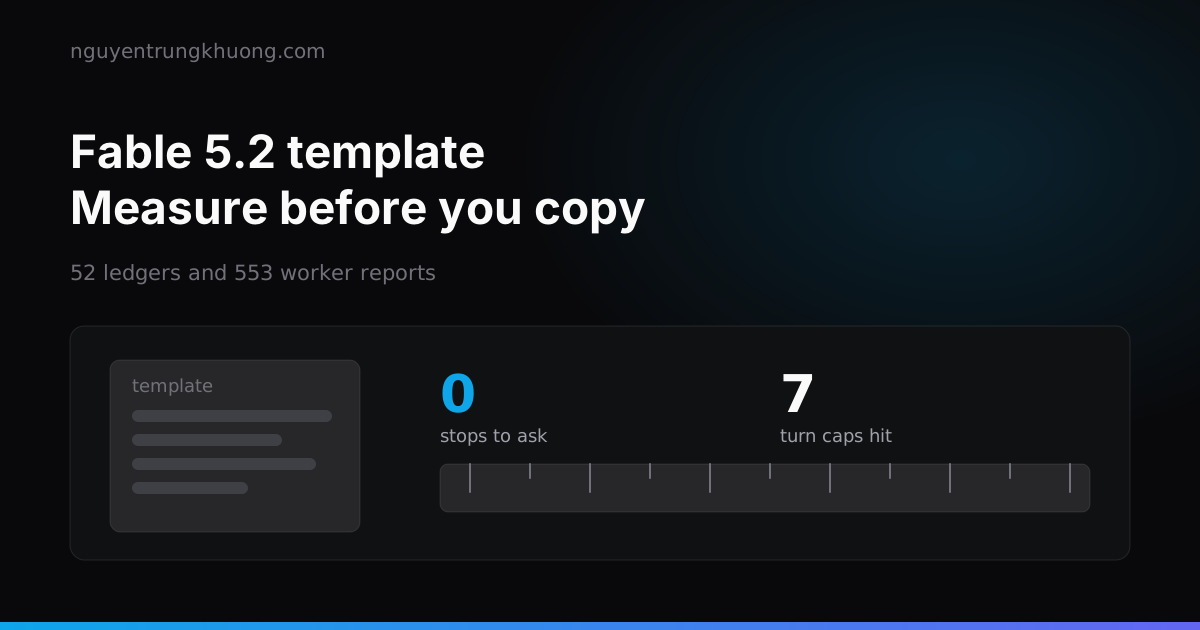 A Fable 5.2 prompt template for agent teams: measure on your own logs before copyingA "Coding Agent Team" Fable 5.2 prompt template went around on X, and about 80% of it already existed in my setup. I measured the rest against real ledgers and reports before deciding, and the worst bug I found sat in a pricing table, not in the prompt.read more →
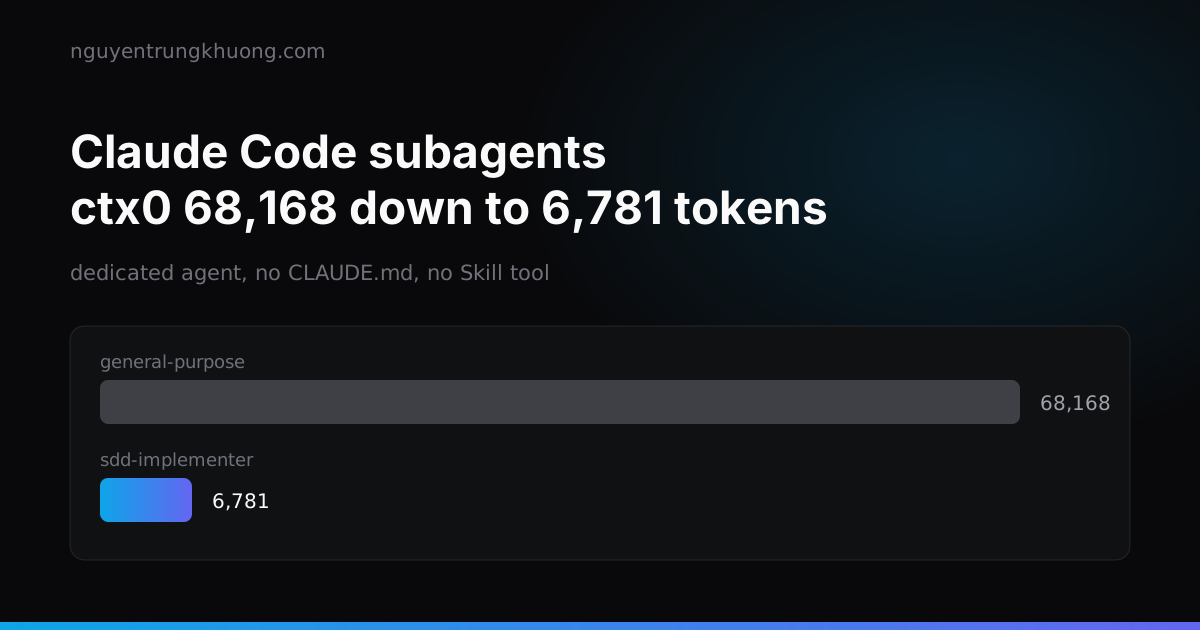 Claude Code subagent cost: cut 40-78% per implementer callA Claude Code subagent loads tens of thousands of tokens of rules and skills at every start, then repeats them over dozens of turns. I measured it from transcripts, replaced it with a dedicated agent, and compared 3 real subagent-driven-development runs.read more →
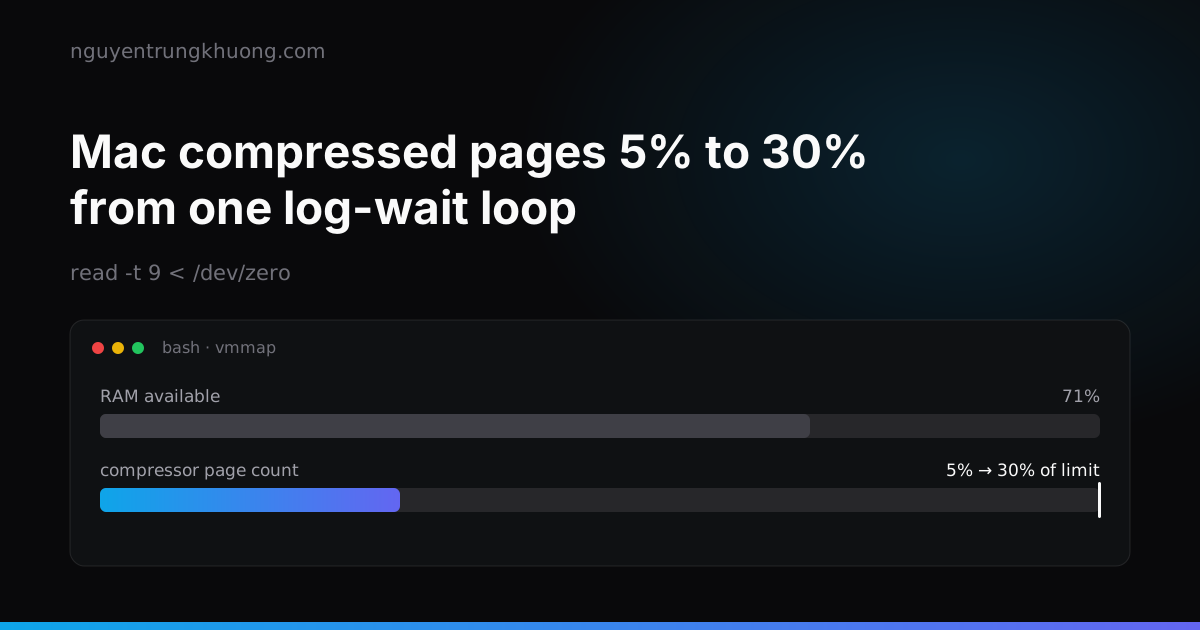 Mac compressed pages jumped from 5% to 30% because of a log-wait loopA Claude Code subagent waited on an e2e log with a loop that reads /dev/zero. One bash process grew to 47.7 GB and the Mac compressed page count jumped from 5% to 30% of its limit while RAM still showed 71% available.read more →
 A Mac with 65% RAM free nearly panicked: the compressor, IOSurface and Playwright's WebKitA 32 GB Mac Studio panicked with 100% of compressed pages limit, then came close to a second panic that evening while RAM still showed 65% free. The page count in the compressor had filled up, and the culprit was IOSurface that Playwright WebKit left in the kernel.read more →