blog
Stop committing out/: a CI/CD pipeline that builds static files on the server
29 of the 51 commits in this repo touched the build output folder. How I dropped it for good: a self-hosted runner that builds on the server, a publish that is one symlink swap, a Cloudflare purge, and three bash traps that only showed up under test.
- Published
- Updated on
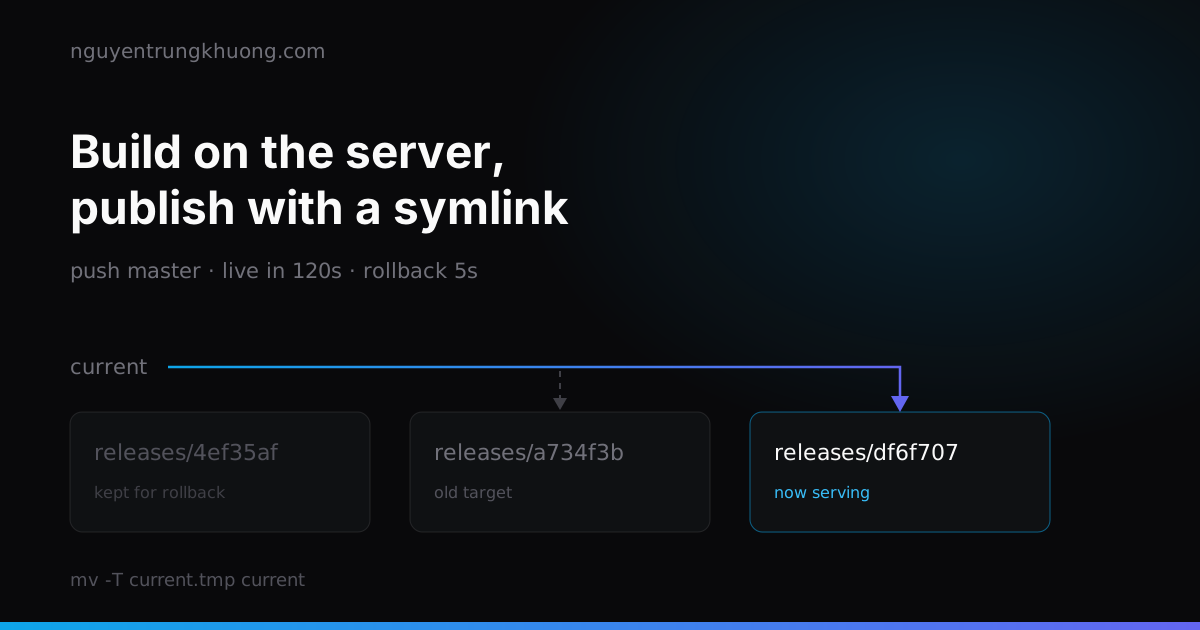
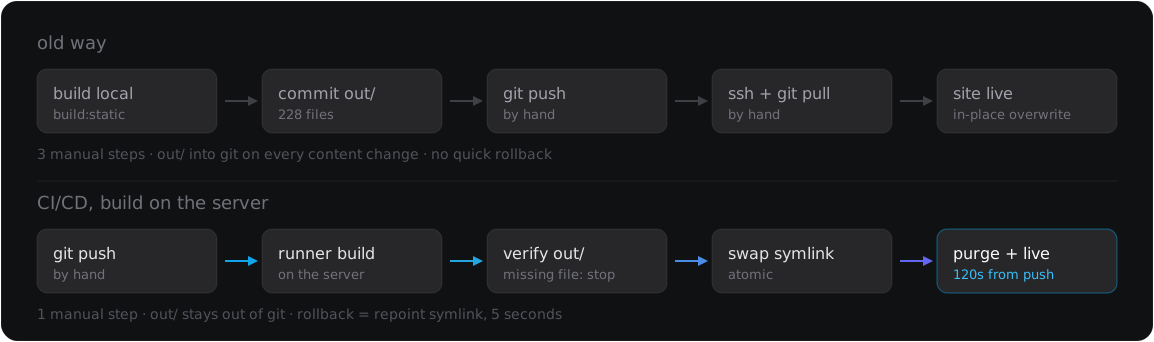
nguyentrungkhuong.com is a static export, and nginx used to point straight at the out/ folder. For a long time, deploying meant building on my local machine, committing all of out/ to git, then ssh-ing into the server to run git pull. Counting through the history: 29 of the repo's 51 commits touched out/.
This week I dropped that approach. I switched to a self-hosted runner that builds on the server itself and publishes with a single symlink swap. From git push to the new version being live in production: 120 seconds.
On 14 Oct 2026 I replaced the deploy method in this post: the site moved to Cloudflare Workers Static Assets, with no nginx server and no self-hosted runner left. The rest of the post stays as it was written.
What was wrong with the old way: 29 of 51 commits were build output
The numbers for this repo, counted with git log --numstat:
| Metric | Value |
|---|---|
Commits touching out/ | 29 / 51 |
Commits touching out/ but no source | 12 |
Lines added/removed in out/ over all history | 9,966 / 9,966 |
Current size of out/ | 228 files, 8.2 MB |
12 of those commits did not change a single line of code or content. They exist only because the minified HTML changed after a rebuild; in git log they record what the bundler did.
The history noise was not even the most annoying part. These three were:
- The build depended on my local machine. Which Node version, whether
.env.localhad every key, whethernode_moduleshad drifted from the lockfile: nobody checked. What went to production was whatever my machine happened to have. out/in git could drift from what was actually running. Forget to commit after editing content and the server pulled the old version, whilegit statusstayed clean.- Rebasing was painful. Two branches changing content meant
out/conflicts across 228 minified one-line files.
A self-hosted runner: build where the files will live
The first choice to settle: build on a GitHub-hosted runner and push the files to the server, or install a runner on the server itself.
I chose the server. Building on a GitHub-hosted runner means generating a deploy key, adding the private key to a secret, opening SSH to GitHub's IP ranges, then pushing 8.2 MB over the Internet every time. With the runner already on the server, the files are in the right folder as soon as the build finishes, and only a local rsync is left.
jobs:
  deploy:
    runs-on: [self-hosted, khuong]
    steps:
      - uses: actions/checkout@v7
      - uses: actions/setup-node@v7
        with:
          node-version: 22
          cache: npm
      - run: npm ci
      - run: npm run build:static
2 details that can eat time:
khuong is a label I set when running config.sh. Get it wrong and the job reports no error; it just sits in the Waiting for a runner state until it times out.
actions/checkout@v4 runs on the Node 20 runtime, which GitHub has deprecated, and the log reminds you on every run. @v7 uses Node 24. Note that node-version: 22 in setup-node is the Node that builds the site and has nothing to do with the runtime the action itself runs on. They are two separate things, so do not change the wrong one.
Publishing is a rename, not an rsync over the folder being served
The naive way is rsync --delete straight into the folder nginx is reading. While rsync runs, that folder is half old and half new: new HTML points to JS chunks that have not been written yet. It lasts a few hundred ms, but an unlucky visitor gets a blank page.
The right way is for each build to write into its own folder, then swap a pointer:
/home/khuong/
├── releases/
│   ├── a734f3b/
│   └── df6f707/
└── current -> releases/df6f707      <- nginx root points here
dest="$DEPLOY_ROOT/releases/$GITHUB_SHA"
rsync -a --delete --chmod=D755,F644 out/ "$dest/"
touch "$dest"

ln -sfn "$dest" "$DEPLOY_ROOT/current.tmp"
mv -T "$DEPLOY_ROOT/current.tmp" "$DEPLOY_ROOT/current"
mv -T is a single rename() at the syscall level. A request in flight never sees an intermediate state: it reads either the old release or the new one, nothing in between.
On the nginx side, exactly one line changes:
root /home/khuong/current;
nginx follows symlinks by default (disable_symlinks off), so no extra configuration is needed.
Three bash traps that only showed up under test
Before letting the workflow touch production, I wrote a script that rebuilds the whole folder tree in a sandbox and runs six scenarios: first deploy, second deploy, prune with few releases, prune with many releases, rollback, and rollback to a SHA that does not exist. Three bugs fell out, and rereading the code would have caught none of them.
Without -T, mv puts the symlink inside the old release. On the first deploy current does not exist yet, so mv creates it and everything works. On the second, current is already a symlink pointing to a folder, and by default mv follows the symlink and drops the file inside that folder, producing releases/a734f3b/current, while the current outside still points to the old version. The site stays frozen on the old version and the job is still green.
rsync -a copies the source's mtime. The prune step keeps the 5 newest releases using ls -t, and -a includes -t, so the mtime of releases/<sha> is the mtime of out/, not the time of publishing. In the sandbox, a later publish sorted after an earlier one. When prune sorts in the wrong order, it deletes the new release by mistake. The fix is a single line, touch "$dest", after rsync.
grep returns 1 when nothing matches, and pipefail treats that as an error. The prune command filters the live release out of the list to delete:
ls -1dt ./*/ | tail -n "+$((KEEP_RELEASES + 1))" | sed 's:^\./::;s:/$::' \
  | { grep -vx "$live" || true; } | xargs -r rm -rf
While the repo has fewer than 5 releases, which covers every deploy in the first week, tail prints no lines, grep exits 1, and set -euo pipefail kills the whole step. The deploy fails at the cleanup step, after it has already published successfully. The || true inside the braces handles exactly that spot.
The fourth trap is an omission rather than a bug: prune has to spare the release current points to. Normally the live release is always the newest, so this does not matter, but right after a rollback the live release sits outside the top 5. Without that exception, the next deploy deletes the folder nginx is reading.
2 tools worth installing before you write the first line of YAML: actionlint (it also calls shellcheck on every run: block) and a .github/actionlint.yaml file that declares the self-hosted label so it stops raising false alarms. Both only catch syntax errors; the three bugs above are all valid code that runs wrong. Only testing finds them.
Block before the symlink swap, not after
Swapping the symlink is the point of no return. Before it, there has to be a fail-closed gate:
for f in out/index.html out/sitemap.xml out/robots.txt; do
  test -s "$f" || { echo "::error::missing or empty $f"; exit 1; }
done
count=$(find out -type f | wc -l)
test "$count" -ge 50 || { echo "::error::out/ has only $count files"; exit 1; }
If next build fails, the exit code is non-zero and the job stops on its own. This gate catches the nastier case: the build "succeeds" but comes out missing files, because a sitemap plugin went silent, a prebuild script failed without throwing, or the disk filled up halfway. A red job with the site still on the old version beats a symlink pointing at an empty folder.
The Cloudflare purge, and a dead redirect kept alive by a one-year HTML cache
The last step clears the edge cache:
curl -sS -X POST \
  "https://api.cloudflare.com/client/v4/zones/$CF_ZONE_ID/purge_cache" \
  -H "Authorization: Bearer $CF_API_TOKEN" \
  -H "Content-Type: application/json" \
  --data '{"purge_everything":true}'
Create the token with Create Custom Token, with exactly one permission, Zone → Cache Purge → Purge, limited to one zone. Do not use the Global API Key, which opens the whole account just to clear a cache.
purge_everything sounds wasteful but costs little: every asset in /_next/static/ has a hash in its name, so after a purge the next request only fetches the HTML again. For an 8.2 MB site, it is not worth optimizing by diffing URLs between two builds and purging them one by one, because missing a single URL means users see the old version.
While checking production after the CI/CD run, /blog returned a chain of 301 to /blog/ and then 403. The blog list page is in the main menu and in sitemap.xml. I concluded it was an nginx try_files bug, and that conclusion was wrong. The answer was already in the headers I had skimmed past:
cache-control: public, max-age=31536000, s-maxage=300, stale-while-revalidate=60
cf-cache-status: HIT
age: 584
HIT means the response came from the Cloudflare edge, not from nginx. That 301 was left over from an nginx config from long ago, kept by the edge and served to everyone. On the next deploy, purge_everything cleared it and /blog returned 200 right away.
Two lessons, and the second costs more than the first:
- When debugging production, tell the edge apart from the origin. With a CDN in front, a
curlfrom your own machine cannot tell you what nginx is returning. Ask the origin directly withcurl -sI http://127.0.0.1/ -H 'Host: example.com'run on the server. - A long Cache-Control on HTML keeps the bugs too.
max-age=31536000on.htmlmakes a dead redirect permanent for every browser that has visited, and a Cloudflare purge cannot reach them because the cache lives on their machine. HTML has to beno-cacheplus a shorts-maxage; only assets with a hash in their name get to beimmutable.
# HTML: always revalidate with the origin, but let the edge cache it for 5 minutes
location ~* \.html$ {
    add_header Cache-Control "public, no-cache, s-maxage=300, stale-while-revalidate=60" always;
}
# assets with a hash in the name: immutable
location /_next/static/ {
    add_header Cache-Control "public, max-age=31536000, immutable" always;
}
A missing secret still builds green, and the form dies silently
A static site has no backend, so the contact form and the newsletter call external services directly with NEXT_PUBLIC_* keys. Next inlines these variables into the bundle at build time, reading them from process.env, so there is no need to write a .env to disk. Declaring them on the step is enough:
- name: Build static site
  env:
    NEXT_PUBLIC_W3F_ACCESS_KEY: ${{ secrets.NEXT_PUBLIC_W3F_ACCESS_KEY }}
    NEXT_PUBLIC_MC_DC: ${{ secrets.NEXT_PUBLIC_MC_DC }}
  run: npm run build:static
The catch: with a secret missing, the build is still green. The variable gets inlined as undefined, the form submits, and the service rejects it. No server log, nobody knows, until a client complains they could not get in touch.
After the first automated deploy, check by hand:
- Send a test message through the contact form and see whether the email arrives
- Sign up for the newsletter as a test
- Open the built HTML and search for the string
undefinednext to the variable names
Rollback is a symlink swap, not a rebuild
Old releases are still on disk, so going back does not need anything rerun:
ln -sfn "$DEPLOY_ROOT/releases/$SHA" "$DEPLOY_ROOT/current.tmp"
mv -T "$DEPLOY_ROOT/current.tmp" "$DEPLOY_ROOT/current"
I made it a separate workflow run through workflow_dispatch. If the SHA input is left empty, the job only lists the existing releases and stops. It comes with a guard, test -s "$target/index.html": mistype the SHA and the job goes red instead of the site returning 404.
Both workflows share one concurrency.group with cancel-in-progress: false. Two overlapping deploys, or a rollback cutting in while a deploy is mid-rsync, is the surest way to end up with a half-written release.
The trade-off of letting the production server build
The gains are clear: one manual step instead of three, out/ gone from git, every commit holding only code and content, a 5-second rollback. The costs need saying plainly:
- The build eats RAM on the same machine that serves the web.
next buildis not light. A small VPS without swap gets OOM-killed halfway, and the kill happens while the site is running. - The runner has write access to the web root. Anyone who can push to
mastercan deploy. For a personal repo that is acceptable; with several people you need branch protection and environment approval. - No more backup in git.
out/used to be in the history, so whatever broke, I could check it out again. Now the safety net is 5 release folders on disk. That is why prune has to spare the live release. - No staging.
mastergoes straight to production. The verify step only blocks a broken build, not wrong content. actions/checkoutwipes the workspace every time,node_modulesincluded, sonpm ciruns from scratch and only the npm cache survives. That is most of the 120 seconds.
There is one more trap for anyone following along, right at the handover. The commit that stops tracking out/ deletes 228 files from git. If the old clone is still on the server and someone runs git pull, git wipes the out/ folder nginx is serving, and the site dies on the spot. The order has to be: install the runner, declare the secrets, run the first deploy, check that current has real content, change the nginx root, and only then touch the old clone.
The next thing I plan to do is preview builds for pull requests: each PR gets its own release under preview/<PR number>, mapped by nginx through a subdomain. It uses the same machinery; only the symlink target changes.
If you want to see what this pipeline is building underneath, I wrote separately about the site's static export and catch-all route architecture, and about the snags I hit upgrading to Next.js 16.
Related posts
all posts →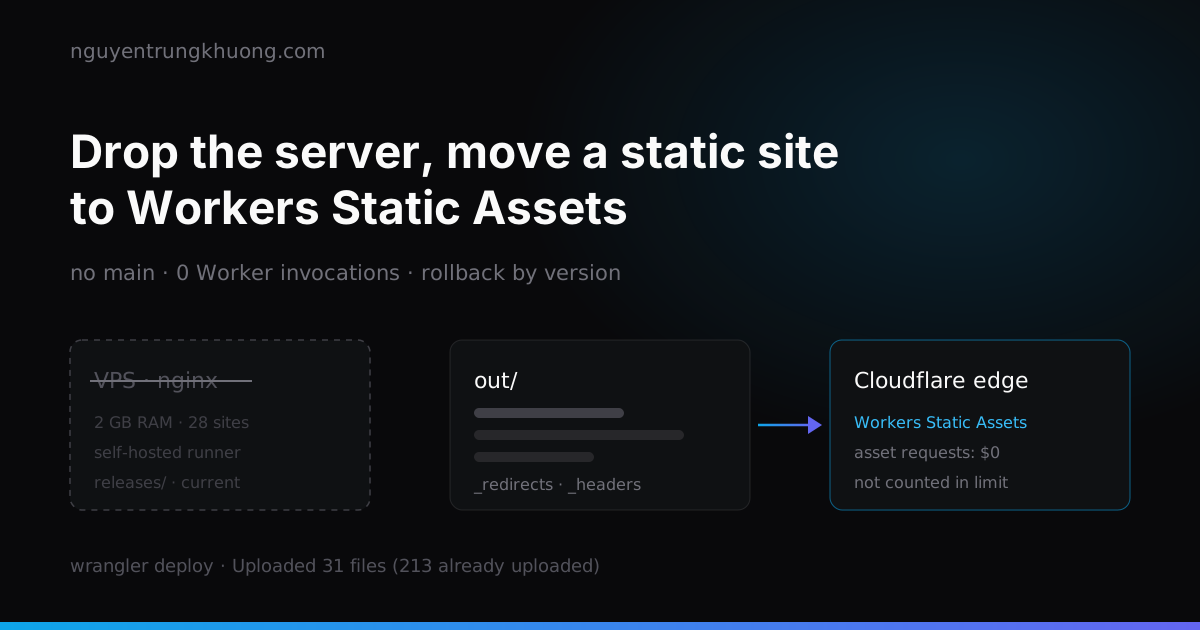 Dropping the server: moving a static Next.js site to Cloudflare Workers Static AssetsThis site is only HTML, JS and images, yet it used to live on a 2 GB RAM VPS shared with about 28 other sites. How I moved it to Workers Static Assets: translating the nginx config into _redirects and _headers, why requests do not count against the Free plan limit, and two places I tripped after the move.read more →
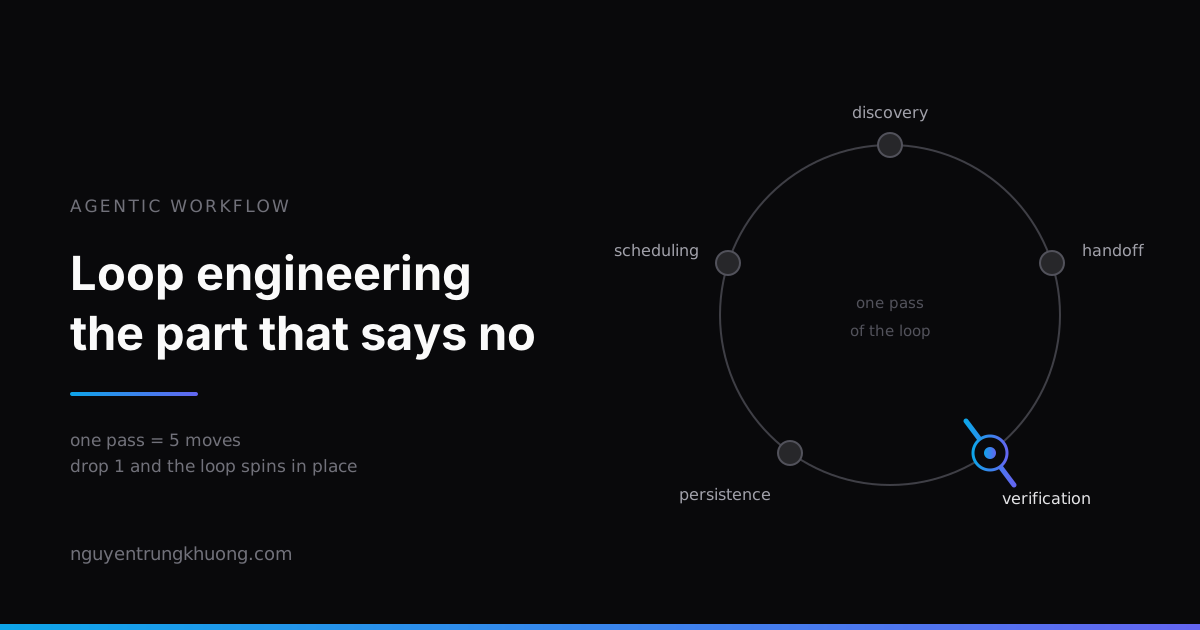 Loop engineering: stop prompting the agent, design the loop that prompts itBuilding a loop for an agent now takes fifteen minutes. The hard part is putting something inside it that dares to say "no". The five moves of one pass, five ways a loop fails, and the real loop on this site, which is halfway there.read more →
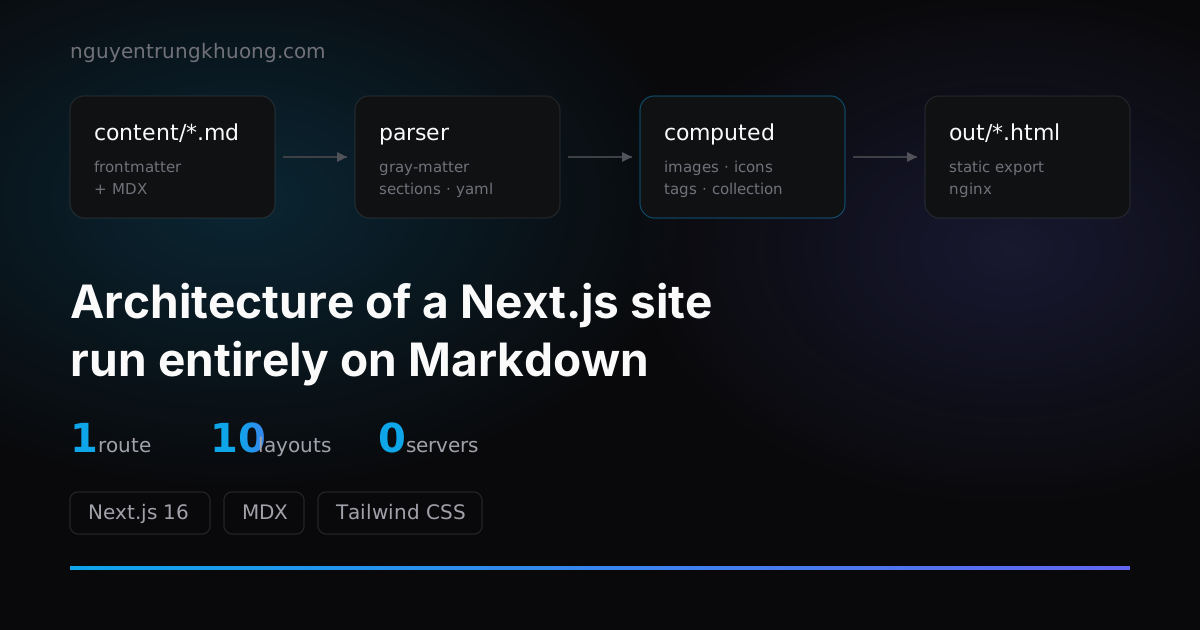 1 route, 10+ layouts: the architecture of a Next.js site run entirely on MarkdownThis whole site renders from exactly 1 route file. The pipeline behind it: frontmatter split into sections, computed fields, a layout registry and collections.read more →
 Upgrading Next.js 15 to 16: Turbopack, static export and three snagsNotes from upgrading this site to Next.js 16: why I kept static export for Nginx, where Turbopack is stricter than webpack, and the three bugs that ate the most hours.read more →