blog
Upgrading Next.js 15 to 16: Turbopack, static export and three snags
Notes from upgrading this site to Next.js 16: why I kept static export for Nginx, where Turbopack is stricter than webpack, and the three bugs that ate the most hours.
- Published
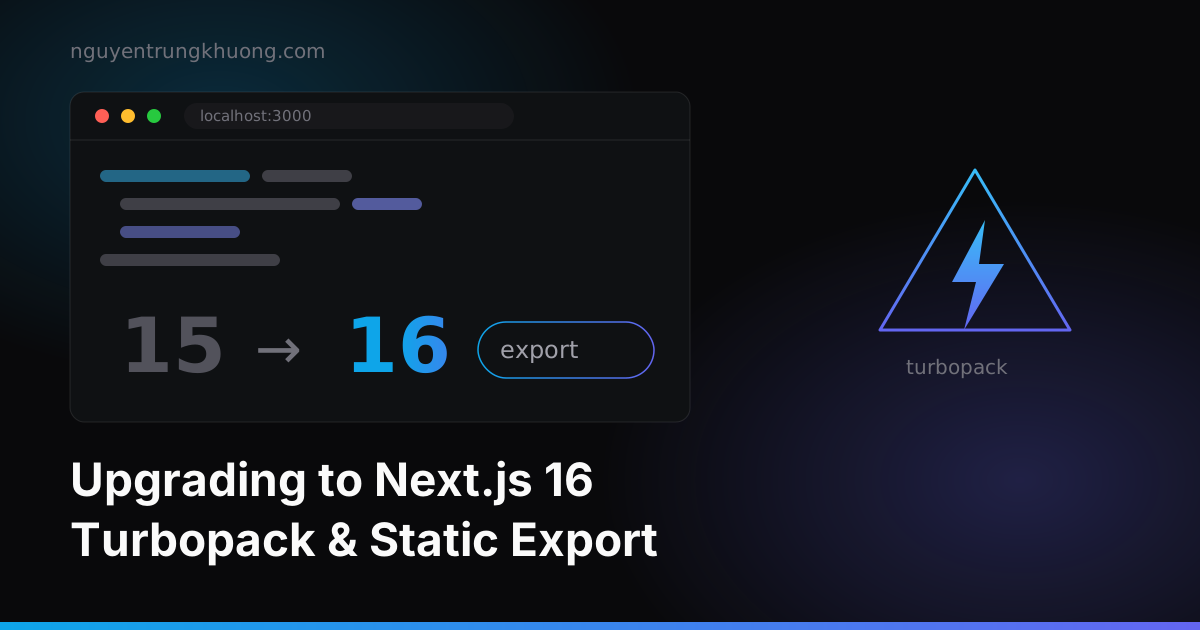
This site runs on the Next.js Pages Router, with content written in Markdown, built into static HTML that Nginx serves straight from the out/ folder. No Node server runs in the background. This round I took it from Next.js 15 to Next.js 16, the release that makes Turbopack the default bundler for both dev and build.
The three places that cost the most time: Turbopack's strict CSS, the next export command disappearing, and the dev cache getting wiped by mistake on every start.
Why I kept static export instead of switching to a server
The biggest temptation when bumping a version is to change the architecture "while I'm at it": App Router, server components, ISR. I skipped all of it and kept output: 'export'.
The reason is the deploy: the server only has Nginx pointing at a folder. No PM2, no process to restart, no port to open. At the time of the upgrade, deploying meant building on my local machine, committing the out/ folder, then running git pull on the server; later I dropped that entirely and moved to building the static site on the server with CI/CD. Both approaches hold up because no Node process runs in the background.
In exchange, I lose ISR and middleware. For a site with static content, that is a cheap price.
One change to know about: the next export command no longer exists. Since Next 13, the output: 'export' setting in next.config.js handles this, and next build produces out/ on its own. Any script that still calls next export fails immediately.
Where Turbopack is stricter than webpack
Turbopack is the default bundler in Next 16. The dev server starts in under a second, but the CSS side is stricter than webpack. The two errors below cost me a morning.
@import must come before every other rule
My globals.css had an @import 'prism.css' line in the middle of the file, after a few rules. Webpack let it pass silently. Turbopack fails the build right away, and it is right to: the CSS spec says @import must come first.
/* Right: @import first, then everything else */
@import 'prism.css';

@tailwind base;
@tailwind components;
@tailwind utilities;
The fix took three seconds. Finding it took longer, because the error message does not point at the right line.
A CSS comment that swallowed a selector
Tailwind reported Unexpected '/', with no file name and no line number. The build failed, while the dev server ran normally.
The culprit was a comment I wrote to explain the color system:
/* Components with class bg-omega-*/text-omega-* follow the theme automatically */
The */ sequence in the middle of the sentence closes the comment early. The rest (text-omega-* follow the theme automatically */) falls outside and becomes a junk selector. I had to bisect the CSS files one by one with the Tailwind CLI to narrow it down.
The lesson I kept: never write the */ sequence inside a CSS comment, even when describing a class name that contains an asterisk.
Light mode without writing dark: on every class
The usual way is to write a pair for every color class: bg-zinc-900 dark:bg-zinc-50. With a few hundred classes, changing the theme later becomes torture. Instead, I run the whole neutral color scale through CSS variables, and light mode is just one block that inverts that scale:
html:not(.dark) {
  --color-omega-50: 24 24 27;     /* zinc-900 */
  --color-omega-100: 39 39 42;    /* zinc-800 */
  --color-omega-800: 244 244 245; /* zinc-100 */
  --color-omega-900: 250 250 250; /* zinc-50  */
}
Every component that writes bg-omega-900 or text-omega-400 flips color when the theme changes, without touching a single line of JSX. Only hardcoded spots (bg-black, text-white) need a dark: pair, and that is a short list worth going over.
Static export still runs ⌘K, the contact form and RSS
Dropping the server does not mean dropping features. Three things I kept:
The ⌘K command palette. The search data is a JSON file generated at build time. A Node script scans the frontmatter of all the content and writes public/search-index.json; the client only has to fetch it. Adding a new post does not touch the code.
node scripts/generate-search-index.js
# search-index: 16 entries -> public/search-index.json
The contact form. It calls Web3Forms straight from the browser, no API route needed.
RSS and the sitemap. Generated in the postbuild step and written straight into out/.
What they share: everything moves to build time or to the client. For any feature that strictly needs a server, ask again whether you really need it.
Next.js 16 upgrade checklist
In the order to run it:
- Node ≥ 20.9. Next 16 requires it, and a few dependencies block hard through the
enginesfield. - Remove
next exportfrom every npm script and switch tooutput: 'export'. - Go through the CSS files: move
@importto the top, delete every*/sequence inside comments. next lintis gone. Next 16 removed the command; calleslint .directly and move to flat config.- Check
next/image: theonLoadingCompleteprop has been removed, useonLoad. - Check
next/link:legacyBehaviorandpassHrefare gone too. - Delete
.next/exactly once before the first run after the upgrade, because the old version's Turbopack cache tends to cause strange module errors.
The words exactly once in item 7 are deliberate. I once put rimraf .next into predev to be safe, and that was a mistake: since 16.2, turbopackFileSystemCacheForDev is on by default, and the dev cache lives in .next/. Deleting it on every start throws away the very thing that makes Turbopack fast. With that line removed, the dev server starts in 710ms.
The right way is to keep the deletion for a separate script, run only when HMR really goes haywire (renaming files, moving the content/ folder, editing theme.config.js):
npm run dev         # keeps the cache, starts in ~700ms
npm run dev:fresh   # rimraf .next && next dev, only when HMR desyncs
The hard part of this upgrade was the CSS. Next's new APIs gave me less trouble. If your project has style files that have piled up over years, spend your time on them first.
The Markdown pipeline behind the site (one route, ten layouts, computed fields) is in the post on the architecture of a Next.js site run on Markdown.
Related posts
all posts →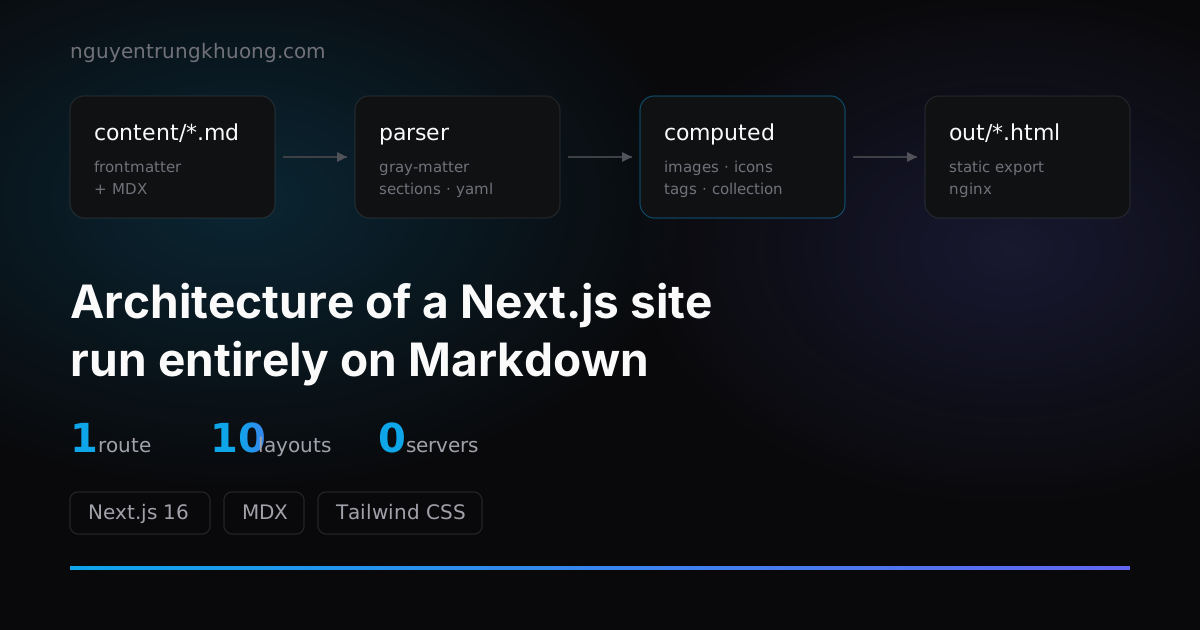 1 route, 10+ layouts: the architecture of a Next.js site run entirely on MarkdownThis whole site renders from exactly 1 route file. The pipeline behind it: frontmatter split into sections, computed fields, a layout registry and collections.read more →
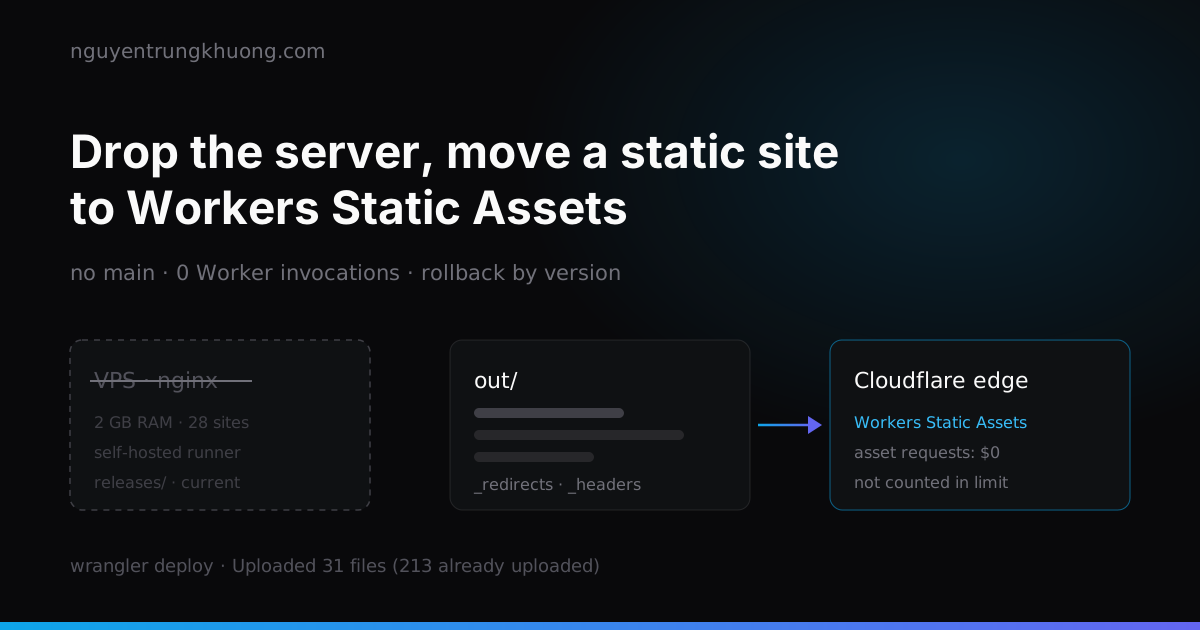 Dropping the server: moving a static Next.js site to Cloudflare Workers Static AssetsThis site is only HTML, JS and images, yet it used to live on a 2 GB RAM VPS shared with about 28 other sites. How I moved it to Workers Static Assets: translating the nginx config into _redirects and _headers, why requests do not count against the Free plan limit, and two places I tripped after the move.read more →
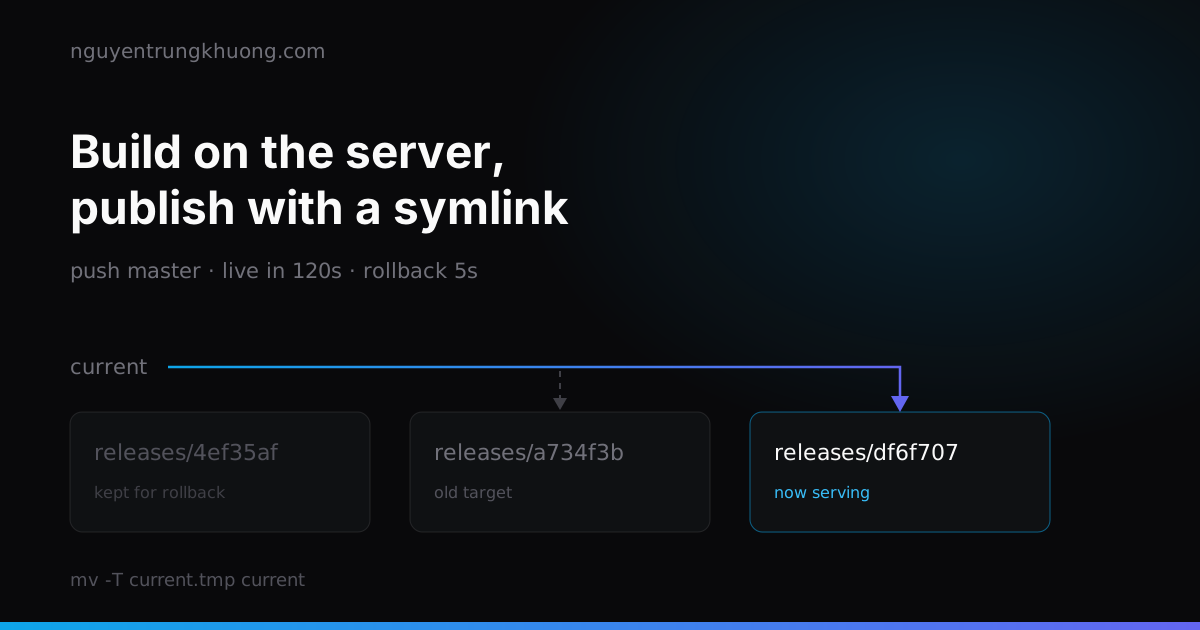 Stop committing out/: a CI/CD pipeline that builds static files on the server29 of the 51 commits in this repo touched the build output folder. How I dropped it for good: a self-hosted runner that builds on the server, a publish that is one symlink swap, a Cloudflare purge, and three bash traps that only showed up under test.read more →
 Building my own uptime dashboard for 30 client websitesClients called to say their site was down before I knew. How I track uptime, response time and SSL expiry for 30 sites without producing a pile of junk alerts.read more →