blog
1 route, 10+ layouts: the architecture of a Next.js site run entirely on Markdown
This whole site renders from exactly 1 route file. The pipeline behind it: frontmatter split into sections, computed fields, a layout registry and collections.
- Published
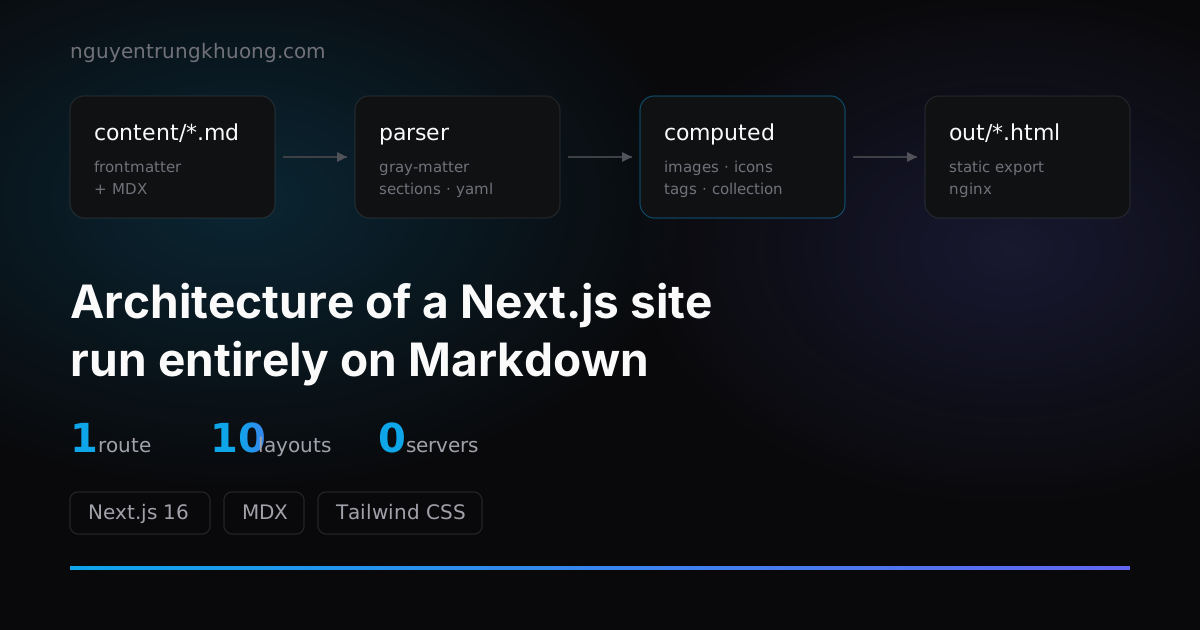
The pages/ folder of this site has exactly 1 file: [[...slug]].js. The home page, the services page, the project list and every blog post go through it. There is no pages/blog/[slug].js and no pages/api/.
The version bump and the snags from switching bundlers are in the post on upgrading to Next.js 16. This one covers only the content architecture.
1 catch-all route for the whole site
getStaticPaths scans all of content/**/*.md, and each file becomes 1 path. getStaticProps receives the slug, finds the matching Markdown file and parses it.
export async function getStaticPaths() {
  const pages = await getPaths()
  const paths = pages.map((s) => ({ params: { slug: s.slug } }))
  return { paths, fallback: false }
}
In practice: adding 1 new page does not touch the code. Create a .md file and you are done.
Any folder listed in mdxConfig.flattenDirs is dropped from the URL: content/blog/abc.md comes out as /abc, not /blog/abc. URLs get shorter, and in return slugs must be unique across the whole site. If two files share a slug, getPaths throws at build time.
One consequence I only saw once it was in production: shortening URLs means 301-ing the old paths, and the first redirect rule I wrote was ^/projects/(.+)$. But public/projects/ was serving images at exactly /projects/*.jpg, the same namespace as the old page URLs. The regex could not tell them apart, so every project image got a 301 to /<name>.jpg and then a 404, and Cloudflare cached that permanent 301 as well.
Tightening the regex to ([^./]+) fixes it, but the clean fix was moving the images to public/screenshots/. With no real file left under /projects/, the redirect cannot hit anything, however it is written. The lesson: before shortening URLs, check whether the prefix you are about to redirect is a real asset folder.
The price is that all the routing logic piles up in one place. In return, I never have to ask "which file renders this page".
Frontmatter split into sections: YAML and MDX in the same file
A page can have more than 1 frontmatter block: it has several sections. Each section starts with three dashes plus a name (---main, ---achievements) and has its own YAML and its own MDX.
The home page of this site looks like this:
content/index.md
├─ frontmatter          layout: Home
├─ section main         eyebrow + H1 + two CTA buttons
├─ section achievements 4 stat tiles
├─ section projects     collection /projects, limit 4
├─ section blog         collection /blog, limit 3
├─ section cta          heading + contact button
└─ section companies    logo list
The parser uses gray-matter's section option, js-yaml loads the data part, and the content goes through next-mdx-remote/serialize:
const { data, content, sections } = await matter.read(filePath, {
  section: (section) => {
    if (typeof section.data === 'string' && section.data.trim() !== '') {
      section.data = yaml.load(section.data)
    }
    section.content = section.content.trim()
  },
})
Each section becomes a prop passed straight to the layout. ---main becomes props.main, ---achievements becomes props.achievements. There is an array syntax too: ---services[0], ---services[1] are gathered into props.services as an array.
So whoever writes the content arranges the page structure too, not just the words, without ever leaving the Markdown file.
A trap I fell into while writing this very post: section-matter scans line by line and calls trim() before matching, and it has no idea what a code fence is. A line starting with ---main inside a code block still counts as a real section opener, and everything after it vanishes from the post. The build stays green, without a single warning. That is why the diagram above is drawn as a folder tree instead of printing the syntax directly. A --- on its own (a horizontal rule in Markdown) is still safe.
Computed fields: frontmatter that fills itself in at build time
Hand-written frontmatter usually lacks what the UI needs. Four computed fields run at build time to fill the gap:
| Field | What it does |
|---|---|
images | Reads the image file with image-size and adds the real width/height to the frontmatter |
icons | Reads the SVG file from disk and embeds it inline in the markup |
tags | Normalizes tags into one consistent form |
collection | Globs child files, filters, sorts, paginates |
The images field matters most: image tags always have their real size, so the layout does not jump when an image finishes loading, and I never type width: 1200 by hand for each image.
The mechanism is recursive: the parser walks the whole frontmatter tree, calls resolve() when it meets a key named after a computed field, then keeps walking into the result. That is how a collection nested inside a section still gets resolved normally.
icons, on the other hand, is a computed field I used wrong for a long time. It reads an SVG file and embeds the source straight into the frontmatter. That makes sense for real vector icons, because only once they are inline can they take their color from currentColor. But the four client logos at the bottom of the home page were base64 bitmaps embedded inside SVG. Inlining them put 364kB of images into the page data, and Next sends the data twice (1 copy in the HTML, 1 in /_next/data/*.json), so that number doubles. A bitmap still cannot take its color from currentColor either, so light mode still had to handle it with an invert filter.
The fix was to split the bitmaps into separate files, resize them to their display size, and return a plain <img loading="lazy"> tag. The home page data dropped from 371kB to 13kB, and the Lighthouse mobile score jumped from 50 to 85. Reading a file at build time and stuffing it into the frontmatter is only worth it when what you stuff in really needs to be part of the render.
The layout registry: layout: in the frontmatter picks the component
The frontmatter declares layout: BlogPost, and the layouts/index.js registry returns the right component through a dynamic import. There are currently ten layouts: Home, About, Services, Contact, ProjectList, ProjectDetail, BlogList, BlogPost, Fallback, BlankCentered.
Watch out: a layout missing from the registry renders the page as null. The page is completely blank, with no error and no warning. When you add a new layout, remember to register it.
Collections and pagination
collection takes path, sortBy, filterBy, limit and recordsPerPage. Filtering uses sift, so you can write MongoDB-style queries.
# the YAML inside the home page's `projects` section
title: Featured projects
collection:
  path: /projects
  sortBy: date
  limit: 4
The home page uses it to fetch the 4 newest projects; the /du-an page (the project list) uses the same mechanism, but without limit and with pagination.
One detail that is easy to get wrong: pagination only runs when collection sits in the top-level frontmatter of the list page. Inside a section it still resolves into records, but no /x/page/2 route is generated. The records sent to the client are also trimmed down to fewer fields, because a list card does not need the whole MDX body.
Push everything to build time
With no server, everything dynamic has to be solved at build time or on the client:
- The search index for ⌘K: a Node script scans the frontmatter and writes JSON with display groups. The client only
fetches it and filters. - RSS: generated when the page slug matches the collection list declared in
theme.config.js. - Sitemap:
next-sitemapruns in thepostbuildstep and writes straight intoout/.
The end result is a folder of static HTML. Nginx points straight at it, and no process runs in the background.
The trade-off of putting all routing in one file
Four costs:
Build time grows with the number of pages. Every page is a file read, a YAML parse and an MDX serialize. With a few dozen pages you do not notice. With a few thousand you have to rethink it.
No content preview. After editing Markdown you have to build to see the real thing. Compared with a CMS that has a live preview, this is a step back.
Frontmatter errors only show up at build time. One colon outside quotes breaks the build. There is no schema validation and no hints in the editor.
The content has to live in the repo. Someone who does not use Git cannot edit a post. For a personal site that is reasonable; for clients who need to publish their own posts, I still set up a regular CMS.
For a content site that changes rarely and is run by the same person who writes the code, those four costs are still cheap.
The same route is rendering the services page and the project list: different layout, different frontmatter, and not one extra route file.
Related posts
all posts → Upgrading Next.js 15 to 16: Turbopack, static export and three snagsNotes from upgrading this site to Next.js 16: why I kept static export for Nginx, where Turbopack is stricter than webpack, and the three bugs that ate the most hours.read more →
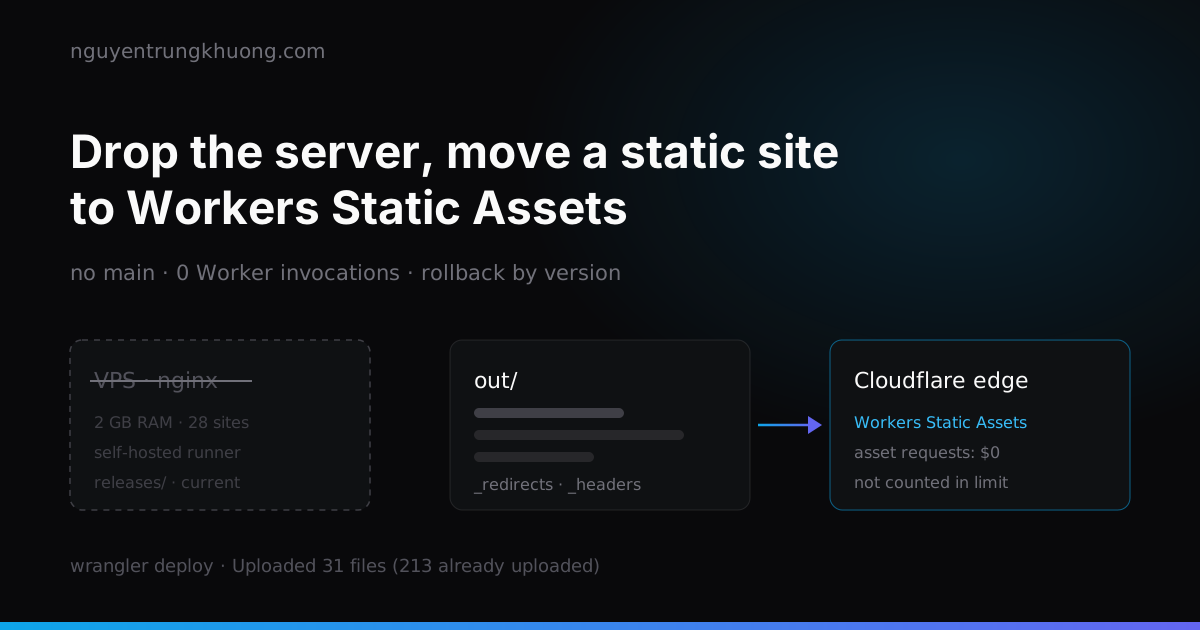 Dropping the server: moving a static Next.js site to Cloudflare Workers Static AssetsThis site is only HTML, JS and images, yet it used to live on a 2 GB RAM VPS shared with about 28 other sites. How I moved it to Workers Static Assets: translating the nginx config into _redirects and _headers, why requests do not count against the Free plan limit, and two places I tripped after the move.read more →
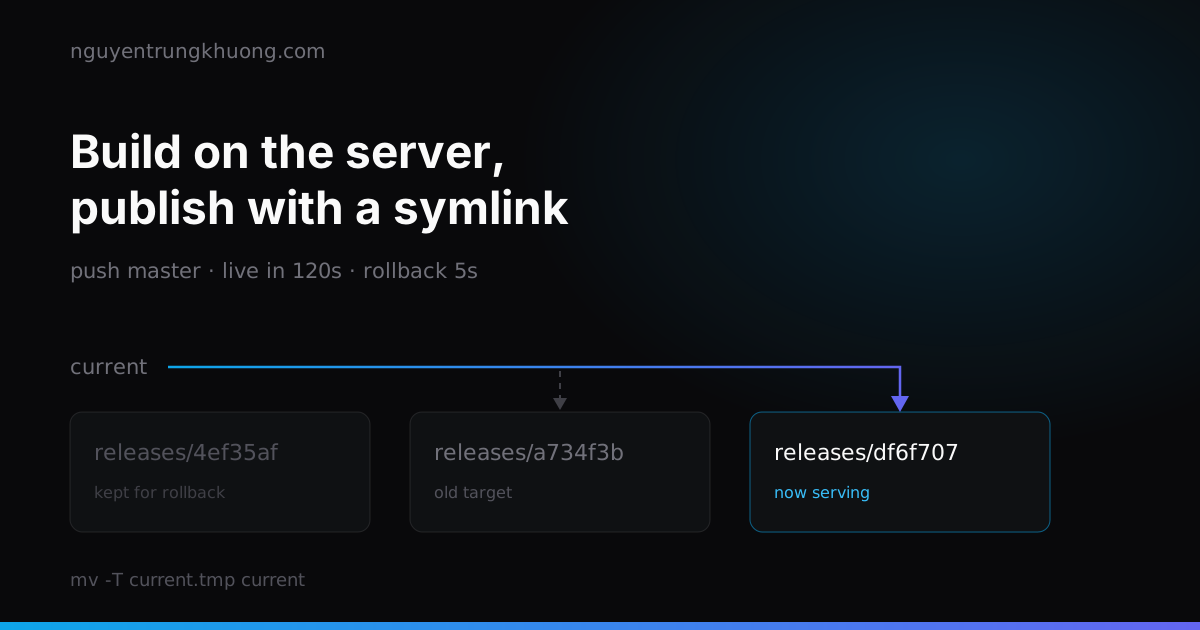 Stop committing out/: a CI/CD pipeline that builds static files on the server29 of the 51 commits in this repo touched the build output folder. How I dropped it for good: a self-hosted runner that builds on the server, a publish that is one symlink swap, a Cloudflare purge, and three bash traps that only showed up under test.read more →
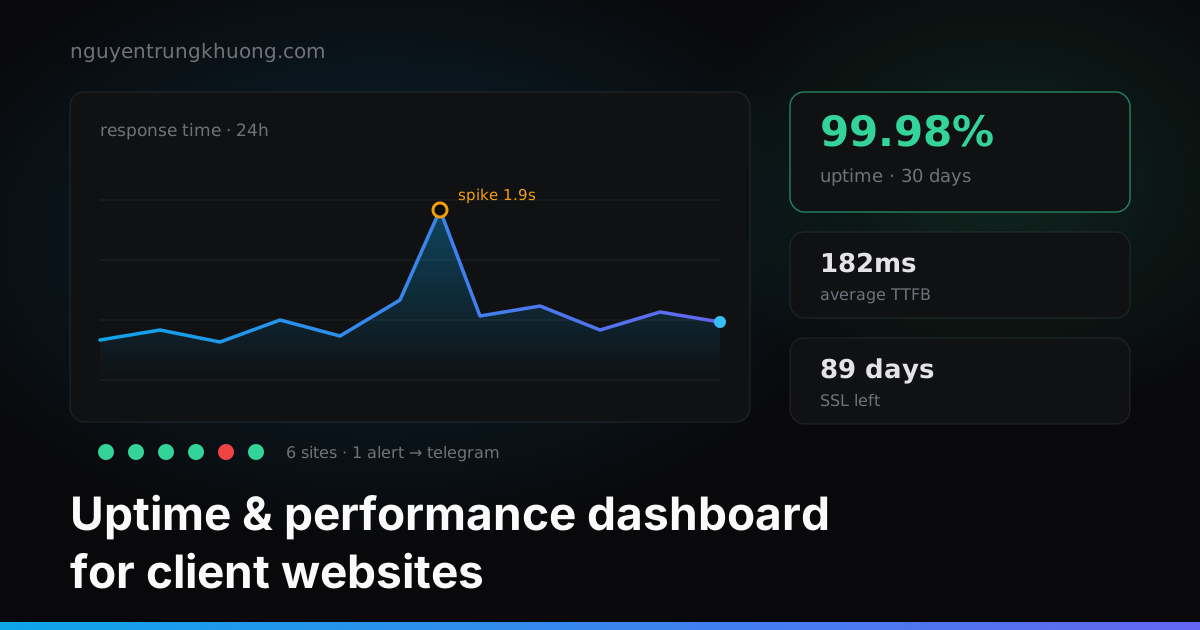 Building my own uptime dashboard for 30 client websitesClients called to say their site was down before I knew. How I track uptime, response time and SSL expiry for 30 sites without producing a pile of junk alerts.read more →