blog
Building my own uptime dashboard for 30 client websites
Clients called to say their site was down before I knew. How I track uptime, response time and SSL expiry for 30 sites without producing a pile of junk alerts.
- Published
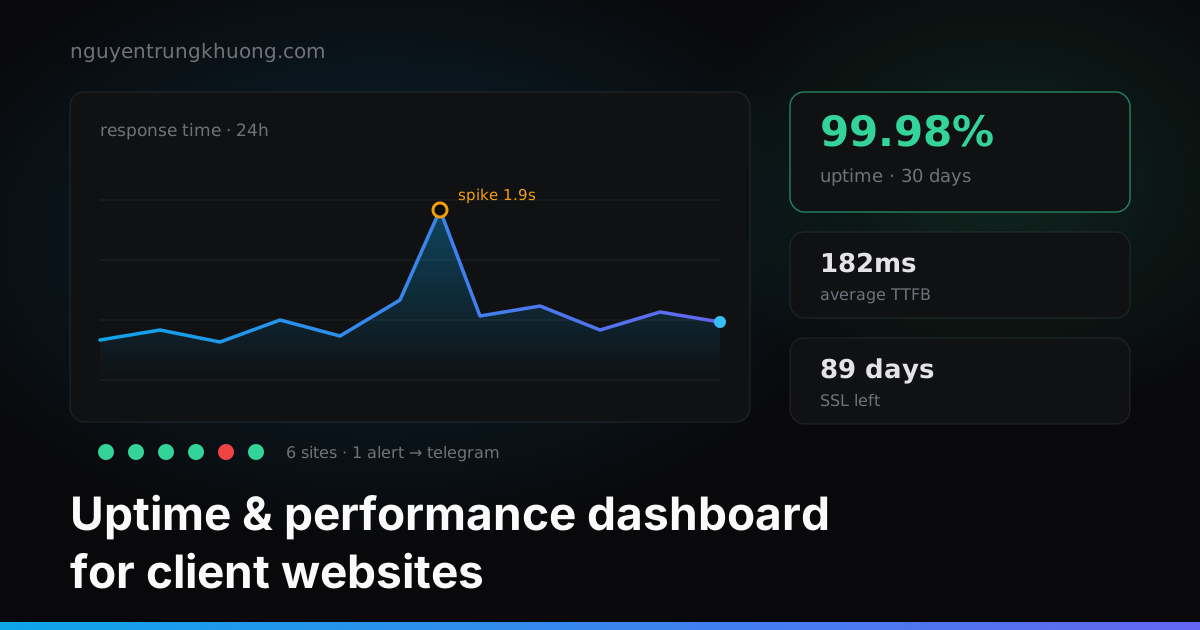
The server goes down at two in the morning, the SSL certificate expires right on a weekend, a page gets slower every time the client installs another plugin. The last person to find out is usually me, after the client calls.
I built this dashboard to reverse that order. The technology is nothing new; the part worth writing about is a few small decisions that make it usable every day, instead of having its notifications muted after a week.
Three metrics to track: uptime, TTFB, SSL expiry
The temptation with a monitoring tool is to measure everything that can be measured. I limited it to three metrics, because those are the three things that make clients call:
Is the site still up. Check the HTTP status every minute.
Is the page getting slower. Measure TTFB and store the readings as a time series to see the trend. A site that slows down steadily over three weeks is more dangerous than a site that goes down for ten minutes, because nobody notices.
How long until the SSL certificate expires. Alert 14 days ahead. This kind of incident is entirely preventable, but without a reminder it bites once a year.
The backend is a Node.js worker running on cron and writing to SQLite. At a few dozen sites with one data point per minute, SQLite handles it easily; no need to set up Postgres. The dashboard is Next.js, with charts rendered on the client.
Stopping false alarms: a threshold of three consecutive failures
In the first week, the network on the monitoring machine flickered for about thirty seconds. The result: a dozen or so sites "went down" at once, Telegram kept buzzing, then they all "recovered" on their own. None of the sites had a real problem.
A few times like that and people mute the notifications, and the real outage goes by in silence.
The rule after the fix: alert only after N consecutive failures, and always report recovery.
// worker/check.js: suppress false alerts caused by brief network errors
const FAIL_THRESHOLD = 3

async function checkSite(site) {
  const started = Date.now()
  try {
    const res = await fetch(site.url, { signal: AbortSignal.timeout(10_000) })
    await recordMetric(site.id, { status: res.status, ttfb: Date.now() - started })

    // Only report recovery if an alert was actually sent before
    if (site.failCount >= FAIL_THRESHOLD) notify(`✅ ${site.name} has recovered`)
    site.failCount = 0
  } catch {
    site.failCount += 1
    // Use === instead of >= : fire exactly once when the threshold is crossed
    if (site.failCount === FAIL_THRESHOLD) {
      notify(`🔴 ${site.name} is not responding (${FAIL_THRESHOLD} times in a row)`)
    }
  }
}
The detail that is easy to miss is the ===. Write >= and every following check while the site is still down sends another message: a site that is down for half an hour turns into thirty notifications. With ===, one incident produces exactly one alert when it starts and one when it ends.
Three consecutive failures on a one-minute cycle means an incident is detected after about three minutes. In return there are almost no false alarms, a trade worth making for this kind of website.
Downsample the data before drawing the chart
After a few weeks of running, each site builds up tens of thousands of data points. Picking the "30 days" range froze the page for a few seconds.
I did not change the chart library. No screen can show 43,000 points on a chart 600px wide, and the human eye could not read them anyway. The fix is to aggregate the data before drawing, starting at the API:
// At most ~200 points per chart, averaged per time bucket
const points = useMemo(
  () => downsample(metrics, { maxPoints: 200, by: 'avg' }),
  [metrics]
)

return <ResponseChart data={points} className="h-40 w-full" />
The chart looks exactly the same, and the page responds instantly. One caveat with aggregation: averages flatten sharp peaks. If you need to see spikes, also keep the max value of each bucket and draw it on top.
Designing the dashboard around one question
The dashboard is only worth something if it is the first tab I open every morning. So every design decision serves one question: is there any site I need to touch today?
That is why the home page has no pretty charts. It is a list sorted by severity: sites with a problem sit at the top, healthy sites collapse into a single line. The detailed charts live on sub-pages, for when I need to investigate.
Internal tools often die because they are designed like commercial products: many screens, many options, many things to configure. The ones that last usually answer one question and answer it fast.
How I deal with the sites this dashboard flags as slow is in the post on PageSpeed optimization for WordPress. If you need someone to watch your site after handover, see website management services.
Related posts
all posts →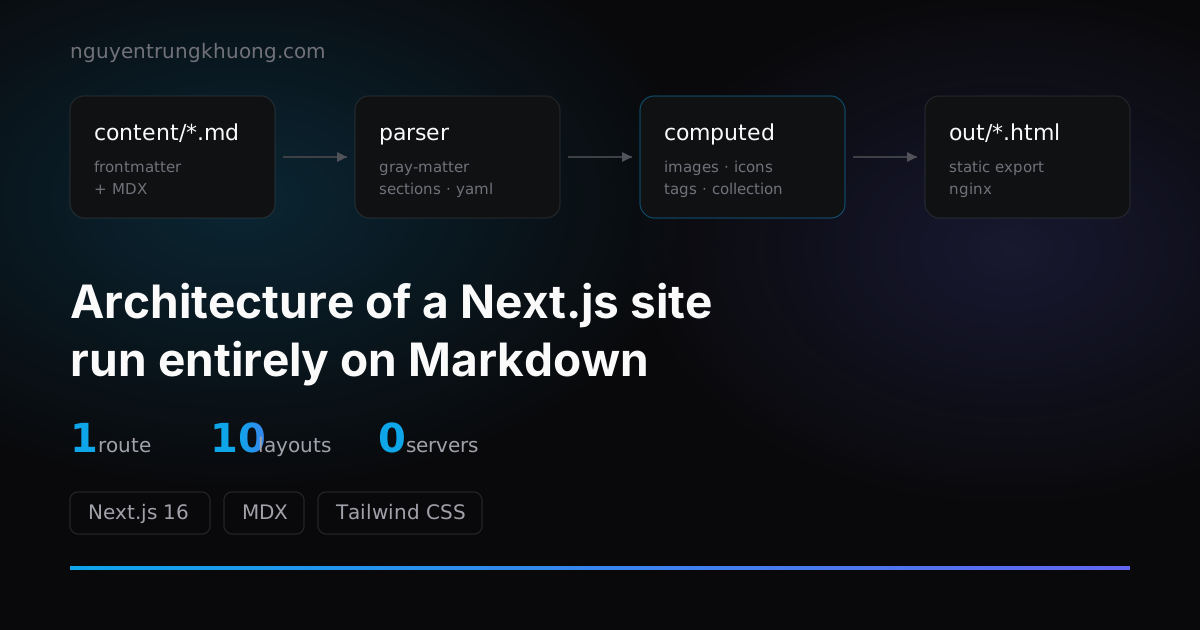 1 route, 10+ layouts: the architecture of a Next.js site run entirely on MarkdownThis whole site renders from exactly 1 route file. The pipeline behind it: frontmatter split into sections, computed fields, a layout registry and collections.read more →
 Upgrading Next.js 15 to 16: Turbopack, static export and three snagsNotes from upgrading this site to Next.js 16: why I kept static export for Nginx, where Turbopack is stricter than webpack, and the three bugs that ate the most hours.read more →
 Syncing KiotViet with WordPress: why I stopped calling the API directlyThree retail websites called the KiotViet API straight from PHP and all hit the rate limit of the same account. How I moved the integration out into a Node.js service in the middle.read more →
 A Mac with 65% RAM free nearly panicked: the compressor, IOSurface and Playwright's WebKitA 32 GB Mac Studio panicked with 100% of compressed pages limit, then came close to a second panic that evening while RAM still showed 65% free. The page count in the compressor had filled up, and the culprit was IOSurface that Playwright WebKit left in the kernel.read more →