blog
PageSpeed optimization for WordPress: what actually changed in 2026
Google did change a few things in 2026, but not the Core Web Vitals thresholds that many articles claim. Here is what really changed, and the order of work for a WordPress website.
- Published
- Updated on
Every time Google moves something slightly, a wave of articles in Vietnamese and in English shouts "Google changes the Core Web Vitals rules". I read those articles and checked them against the original documentation: most of the numbers in them don't exist anywhere.
Two things really changed in 2026: Lighthouse 13 replaced audits with insights, and PageSpeed Insights added an Agentic Browsing category. The Core Web Vitals thresholds did not change.
Lighthouse 13 replaces audits with insights and removes 8 old audits
Lighthouse 13 replaces the old audit system with insights, the same analysis engine as the Performance panel in Chrome DevTools. Instead of a flat list of audits, you get diagnostic groups: LCP Discovery & Phases, Render Blocking, Third-Parties, Network Dependency Tree.
With it came the removal of eight old audits: First Meaningful Paint, Font Size, No Document Write, Offscreen Images, Preload Fonts, Third-Party Facades, Uses Passive Event Listeners, Uses Rel Preload. Any process with a checklist tied to audit names needs that part rewritten. The count of eight comes from the v13.0.0 release notes; Chrome's blog post lists only the six in the Performance group, leaving out Font Size and Preload Fonts.
A new PageSpeed Insights category: Agentic Browsing
Lighthouse 13.3.0, released on 7 May 2026, adds a new category next to Performance, Accessibility, Best Practices and SEO: Agentic Browsing, which measures how ready a website is for AI agents to read and act on.
A few points to get right:
- This category is not scored 0–100. The scoring documentation says it returns a fraction: how many checks pass out of the total
- It stands on its own and is not added to the familiar Performance score
- Google clearly marks this category and the WebMCP part as experimental, based on standards that are still proposals
- It needs Chrome 150 or later; the WebMCP part also needs an origin trial registration
- One of the three default checks is whether
llms.txtexists at the domain root. That standard is still a proposal, not something a site is required to have
If this category shows red, don't panic. It is not a ranking signal and not an official standard yet.
The Core Web Vitals thresholds have not changed
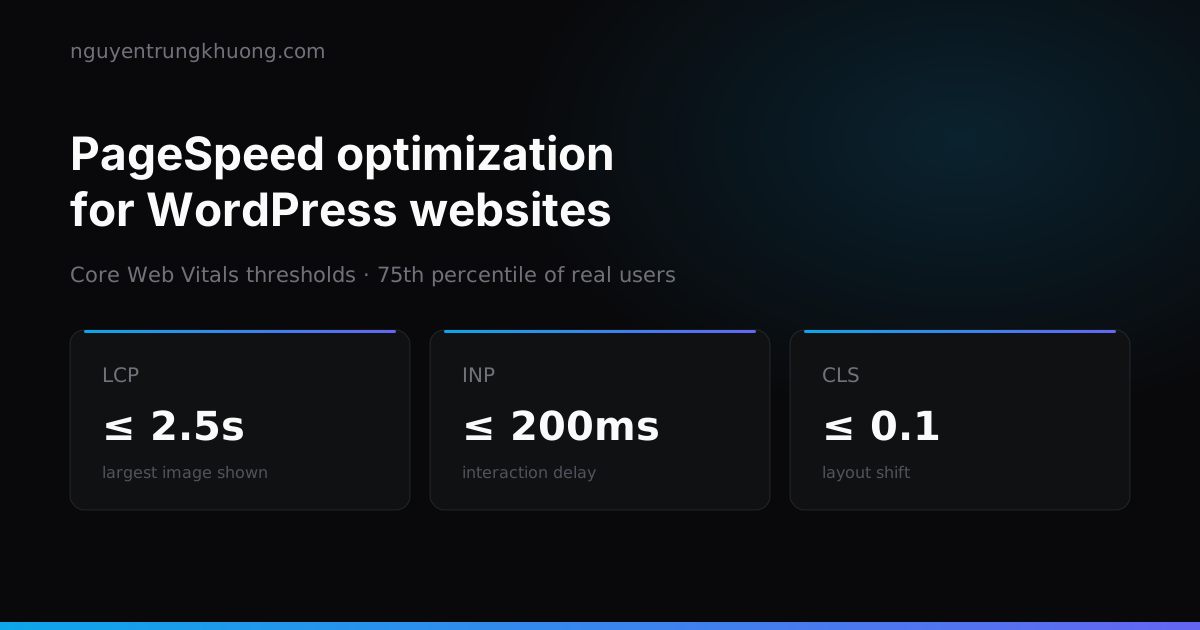
The three thresholds in the Core Web Vitals documentation are the same as before, measured at the 75th percentile of real users, with mobile and desktop counted separately:
| Metric | Good | Needs improvement | Poor |
|---|---|---|---|
| LCP | 0 – 2.5s | 2.5 – 4.0s | > 4.0s |
| INP | 0 – 200ms | 200 – 500ms | > 500ms |
| CLS | 0 – 0.1 | 0.1 – 0.25 | > 0.25 |
The most recent big change to the metrics was INP replacing FID, and that happened on 12 Mar 2024, not in 2026.
The Lighthouse score (lab) is not CrUX data (field)
This is what I explain to clients most often. PageSpeed Insights shows two blocks of data that look very similar:
- Field data comes from the Chrome User Experience Report and aggregates what real users experienced over the last 28 days. This is the data that matters for ranking.
- Lab data is one Lighthouse run that emulates a mid-range phone (Moto G Power, which replaced the Moto G4 starting with Lighthouse 10) on a slow mobile network. The colorful 0–100 number lives in this block.
The lab score is for diagnosis, not for reporting. A page with a lab score of 95 and red field data is normal, because your visitors use weaker phones, worse networks, and have a dozen other tabs open.
Performance score weights: TBT 30%, LCP 25%, CLS 25%
The Performance score is not split evenly across the metrics:
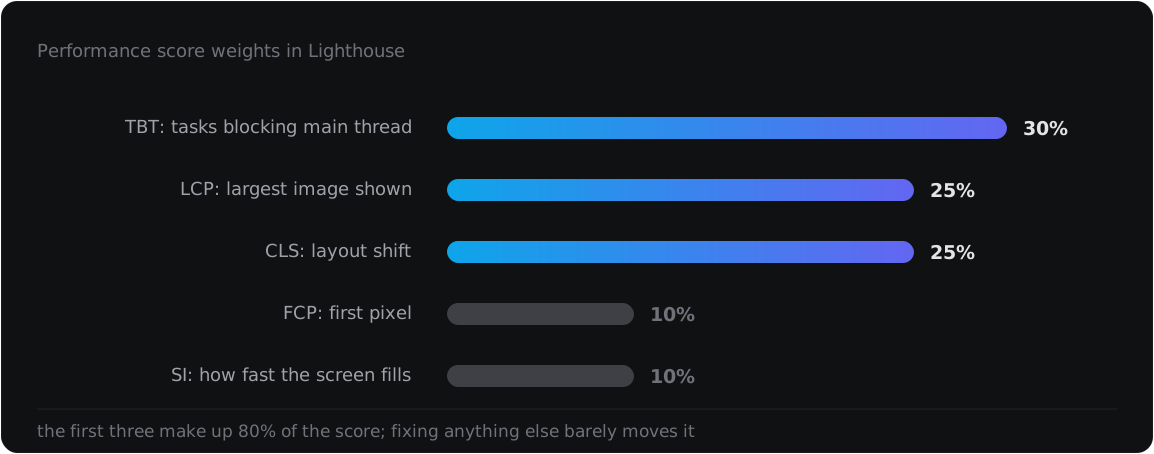
The first three metrics make up 80% of the score. That is why compressing a few more KB of CSS barely changes the score, while removing one heavy JavaScript plugin can add twenty points.
TTFB: WordPress loses at the starting line
Before talking about images or JavaScript, look at the time to first byte. WordPress has to boot PHP, query the database, and run every hook of the theme and the plugins for every visit, unless you stop it.
- Full-page cache at the server level: NGINX FastCGI cache or LiteSpeed cache. A PHP plugin cache still has to boot PHP before it can return the cached page, which is much slower
- Redis object cache for what can't be cached: the cart page, account pages, search results
- PHP 8.4 or later, with OPcache on. 8.3 left active support on 31 Dec 2025 and only gets security fixes until 31 Dec 2027, yet plenty of sites out there still run 7.4
- Hosting close to your users. With visitors in Vietnam and a server in the US, network latency alone eats a few hundred milliseconds, and no technique can win that back
- A CDN for static assets, and for HTML too if the pages are not personalized
On the B2B catalogue website project, with thousands of products, most of the optimization time went into exactly this layer, not the front end.
LCP: nearly always the hero, slider or banner image
On a typical WordPress website, the LCP element is the hero, slider or banner image at the top of the page. A few classic mistakes developers keep making:
- Don't lazy-load the LCP image. Many WordPress plugins turn on lazy loading for every image, including the ones visible in the first viewport, and end up slowing down the very metric they want to improve
- Add
fetchpriority="high"to the hero, slider or banner image so the browser loads it first - Crop images to their display size. A 3000px image shown in an 800px frame wastes your visitors' bandwidth
- Use AVIF or WebP, with JPEG as the fallback
- Self-host fonts, with
font-display: swap, and preload only the files you actually use. The Google Fonts CDN link adds a connection to another domain
When the image sits inside a page builder slider, LCP also has to wait for the slider's JavaScript to finish. The quickest fix is usually to drop the slider: one static image on the home page loads much faster.
CLS: nearly always missing dimensions
- Every image needs
widthandheightin the HTML so the browser reserves the space before the image loads - Give ads, iframes and embed blocks a fixed height. They load late and push all the content down
- Don't insert banners, notice bars or cookie popups above the content after the page has painted
- Make the fallback font the same size as the main font, using
size-adjust, so text doesn't jump when the real font loads
CLS is the easiest of the three metrics to fix, and it still carries 25% of the score. Fix it first.
INP: where WordPress suffers most
INP measures the time from a user's click to the moment the screen responds. If the main thread is busy running JavaScript, the click has to wait in line.
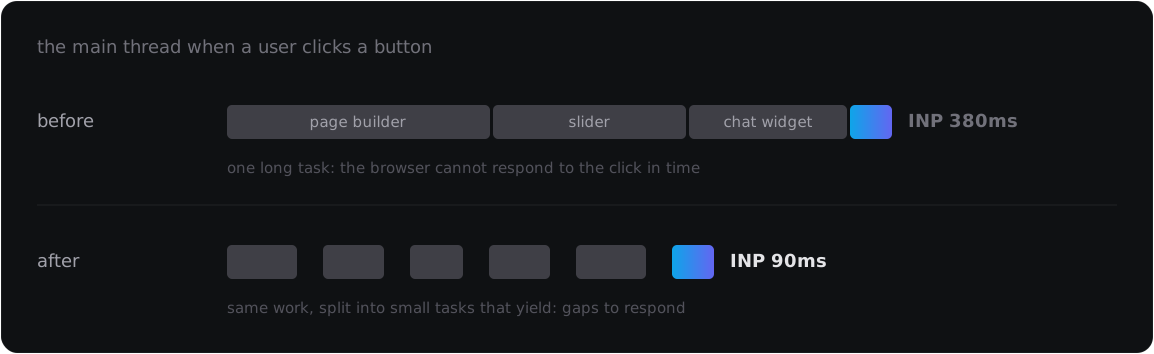
WordPress often does badly on this metric because every plugin loads its own JavaScript, and page builders load their whole library even when the page uses a single block.
- Check your plugins. How much JavaScript does each one load, and does it really need to load on every page? Loading per page, only where needed, saves a lot
- Defer non-essential scripts until the user's first interaction: chat widgets, ad pixels, embedded maps
- Review third-party tags. Google Tag Manager with twenty tags inside is one of the most common culprits
- Split long tasks and yield to the browser instead of running everything in one go
- Drop jQuery if the theme doesn't really need it. Many themes load it only to run a sticky, scroll or "go to top" effect
This is also why I advise clients to have a custom theme built instead of buying a multipurpose one: a ready-made theme has to serve hundreds of industries, so it loads everything, including parts your pages never use.
The order of work: TTFB, CLS, LCP, then INP
- Measure field data first, not lab data. If CrUX doesn't have enough data yet, the page has too little traffic to worry about this
- Fix TTFB: server-level cache, a recent PHP, hosting in the right region
- Fix CLS: the cheapest and fastest, 25% of the score
- Fix LCP: the hero image, fonts, loading order
- Fix INP: a JavaScript inventory, the most work of all
- Measure again after 28 days, because field data uses a 28-day window
Measuring with PageSpeed Insights, Search Console and web-vitals
Use PageSpeed Insights for individual pages and the Core Web Vitals report in Search Console for the whole site. If you want to see problems before Google does, add the web-vitals library to collect numbers from your own visitors. I wrote a separate post on building an automated website monitoring dashboard along those lines.
Is a PageSpeed score of 100 worth chasing?
No. Going from 50 to 90 is the part clients and users can feel: pages load faster, clicks respond right away, text doesn't sit waiting. Going from 95 to 100 usually means giving up things a website has to have, such as images, analytics or features, in exchange for a few points nobody but you will see.
The threshold to care about is field data that is green on all three metrics. A green 100 in a screenshot is something to show off, not a business goal.
Related posts
all posts →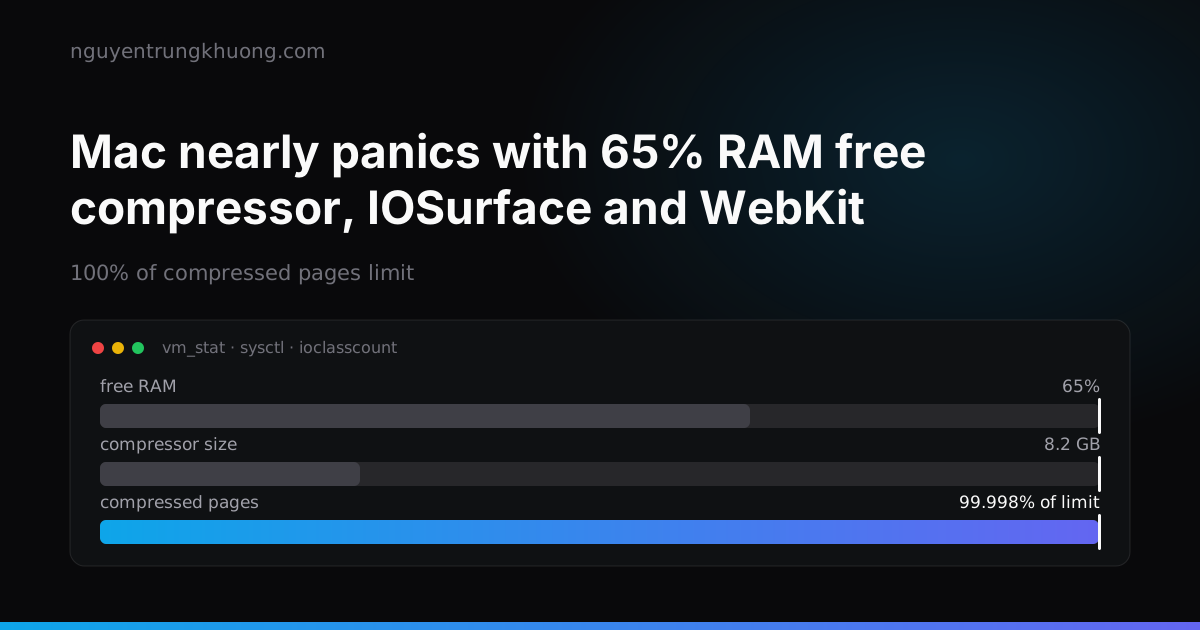 A Mac with 65% RAM free nearly panicked: the compressor, IOSurface and Playwright's WebKitA 32 GB Mac Studio panicked with 100% of compressed pages limit, then came close to a second panic that evening while RAM still showed 65% free. The page count in the compressor had filled up, and the culprit was IOSurface that Playwright WebKit left in the kernel.read more →
 REA: letting an agent reverse engineer software, then testing the oracle tooREA lets a coding agent read a program that has no source, down to machine code, then rebuild that feature in its own code. Whether the rebuild is right is up to the oracle, and the oracle is code too, with its own bugs.read more →
 Top 10 Claude Code skills by GitHub stars: what each one does and which ones overlapThe ten Claude Code skill sets with the most GitHub stars on 29 Oct 2026: Superpowers, Matt Pocock Skills, Karpathy Skills, Anthropic Skills, Ponytail, UI UX Pro Max, Graphify, Caveman, Agent Skills, Taste Skill. Each one with its install command, what it does and where it overlaps with another set.read more →
 Dropping the server: moving a static Next.js site to Cloudflare Workers Static AssetsThis site is only HTML, JS and images, yet it used to live on a 2 GB RAM VPS shared with about 28 other sites. How I moved it to Workers Static Assets: translating the nginx config into _redirects and _headers, why requests do not count against the Free plan limit, and two places I tripped after the move.read more →