blog
Top 10 Claude Code skills by GitHub stars: what each one does and which ones overlap
The ten Claude Code skill sets with the most GitHub stars on 29 Oct 2026: Superpowers, Matt Pocock Skills, Karpathy Skills, Anthropic Skills, Ponytail, UI UX Pro Max, Graphify, Caveman, Agent Skills, Taste Skill. Each one with its install command, what it does and where it overlaps with another set.
- Published
- Updated on
A skill is a folder holding a SKILL.md file (plus scripts and docs when needed) that Claude Code loads when a task matches its description. The ten sets below are the ten skill repos with the most stars at the time of measurement, with the install command for Claude Code and the places where they step on each other. None of them is required: Claude Code runs fine with nothing installed, and installing all ten costs context while the jobs overlap.
The ranking: 10 skill repos with the most stars
Stars were measured through the GitHub API on 29 Oct 2026. The top two are only 1,758 stars apart, so first and second place could swap within a few days.
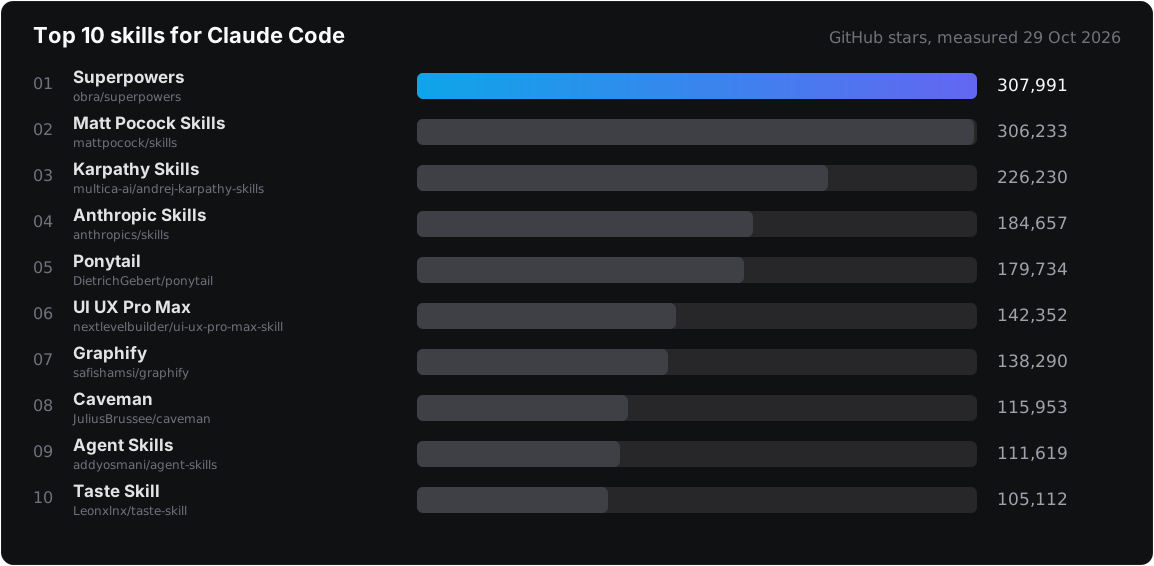
Stars measure popularity. They say nothing about how well a set fits your project. The ten sets are also not the same kind of thing: some are workflows, some are rule files, some are tools. The table below groups them by the job you need done.
| Job | Sets to look at first |
|---|---|
| A workflow from idea to merge | Superpowers, Matt Pocock Skills, Agent Skills |
| Stop the agent from overdoing it and bloating the code | Karpathy Skills, Ponytail |
| Create Word, PDF, PowerPoint and Excel documents | Anthropic Skills |
| A UI that looks less like a stock template | UI UX Pro Max, Taste Skill |
| Ask the codebase through a graph instead of grep | Graphify |
| Cut the number of tokens the agent writes | Caveman |
1. Superpowers: a development workflow with skills that trigger themselves
Superpowers (MIT) is a software development method packaged as skills. The agent does not rush into writing code: it asks what you want to build, presents the design in chunks short enough to read, then writes a plan of 2 to 5 minute tasks, each with file paths, complete code and a verification step.
The default chain, per the README: brainstorming, using-git-worktrees, writing-plans, subagent-driven-development or executing-plans, test-driven-development, requesting-code-review, finishing-a-development-branch. The TDD skill enforces the red, green, refactor cycle and deletes code written before its test. Because the skills trigger themselves, you do not type any command.
/plugin install superpowers@claude-plugins-official
This repo runs the brainstorming, writing-plans, executing-plans chain, which is why every large job has a plan file before it has a commit. The cost is a few extra rounds of questions before you see the first line of code, so for a one-line fix the README lets you agree on it right in the chat.
2. Matt Pocock Skills: a round of questions before any code
Skills for Real Engineers (MIT) is the skill set Matt Pocock uses every day. He positions it as small, composable skills that work with any model, and avoids the kind of process framework that takes control away from you.
The best-known skills are /grill-me (for work that is not code) and /grill-with-docs: the agent asks you detailed questions, one at a time, about what you plan to do before it touches the code. The second part is a shared-language document for the project, so the agent stops using 20 words where 1 would do.
claude plugin install mattpocock-skills@claude-plugins-official
Then run /setup-matt-pocock-skills once per repo. It asks which issue tracker you use, how you label issues and where you keep docs.
3. Karpathy Skills: one CLAUDE.md file, four principles
andrej-karpathy-skills is a single CLAUDE.md file, drawn from the mistakes Andrej Karpathy sees LLMs make when they write code: picking one reading of the task and running with it, writing 1,000 lines when 100 would do, and editing comments and code that have nothing to do with the task.
The four principles: think before coding (state assumptions, ask when something is unclear), simplicity first (no features beyond the request), surgical changes (touch only what must change), and work toward goals you can verify. This is the lightest set on the list because it is only text. To use it, download it as the CLAUDE.md of a new project:
curl -o CLAUDE.md https://raw.githubusercontent.com/multica-ai/andrej-karpathy-skills/main/CLAUDE.md
If the project already has a CLAUDE.md, append to the end instead of overwriting it. GitHub does not detect any license for this repo, so read it carefully before copying it into a commercial product. How to write a CLAUDE.md of your own is covered in writing a proper CLAUDE.md.
4. Anthropic Skills: the official sample library and document skills
anthropics/skills is Anthropic's own skill repo. It holds skills for creating docx, pdf, pptx and xlsx files (the source is viewable but not open source), and many sample skills under Apache 2.0 such as skill-creator, mcp-builder, webapp-testing, frontend-design and claude-api.
The repo states that these skills are for demonstration and learning, that the behavior you get in Claude may differ, and that you should test them yourself. The sensible way to use them is as templates for writing your own skills.
/plugin marketplace add anthropics/skills
/plugin install document-skills@anthropic-agent-skills
/plugin install example-skills@anthropic-agent-skills
5. Ponytail: make the agent write less code
Ponytail (MIT) gives the agent the mindset of "the laziest senior dev in the room": the best code is the code you never write. Its rule: write only what the task needs, and never cut input validation, error handling, security or accessibility.
The author's numbers for Ponytail 5: 53% less code, 41% less time, 26% lower cost, 45% fewer tokens, while 98% of risky logic has tests (68% without the skill). Measured in Claude Code with Opus 5.5, 39 tasks, 5 runs per task. The repo published these numbers itself, and I have not rerun them.
/plugin marketplace add DietrichGebert/ponytail
/plugin install ponytail@ponytail
Ponytail and Karpathy Skills both target code bloat, so pick one.
6. UI UX Pro Max: a lookup library for UI design
UI UX Pro Max (MIT) is a skill that gives Claude Code UI/UX design rules to look up: styles, palettes, font pairings, UX guidelines and chart types, per stack. The lookup runs as a Python 3 script, so you need Python installed.
/plugin marketplace add nextlevelbuilder/ui-ux-pro-max-skill
/plugin install ui-ux-pro-max@ui-ux-pro-max-skill
My repo has it on through frontend-kit. It pays off when you ask "which style, colors and fonts should a dashboard for industry X use" and get an answer grounded in the lookup tables instead of the model's random taste.
7. Graphify: ask the codebase through a knowledge graph
Graphify (Apache-2.0) turns a codebase, along with its docs, SQL schemas, config files and PDFs, into a knowledge graph you can query. Code is parsed locally with tree-sitter, deterministically, without an LLM; only docs, PDFs and images need a model for the semantic step. Every edge in the graph is labeled EXTRACTED (present in the source) or INFERRED (deduced by Graphify), so you know which ones were read directly and which were guessed. There are no embeddings and no vector store.
uv tool install graphifyy
graphify install
Then type /graphify . in your AI assistant. You get a graph.html that opens in a browser, a GRAPH_REPORT.md summarizing the main concepts, and a graph.json for querying again without rereading the files. It needs Python 3.10 or later. The repo also sells a Graphify Cloud service (14-day trial), which is separate from the free skill. codebase-memory-mcp follows the same idea of querying a graph instead of grepping; pick one of the two per repo.
8. Caveman: make the agent talk less to save tokens
Caveman (Apache-2.0) makes the agent answer in clipped caveman speech. The README compares the same answer about a React re-render bug: 63 tokens normally, 20 tokens with /caveman, 14 with /ultracave (counted with tiktoken o200k). The repo claims a 65% token cut.
claude plugin marketplace add JuliusBrussee/caveman && claude plugin install caveman@caveman
My repo runs it at the ultracave level. The price is curt answers, so turn it off when you want a long explanation or when the reader is someone other than you. The 65% figure comes from the repo; your real savings depend on whether the agent's current job is mostly talking or mostly reading.
9. Agent Skills by Addy Osmani: 25 skills across the engineering lifecycle
agent-skills (MIT) packages a senior dev's workflow into 25 skills and 9 commands, /spec, /plan, /build, /test, /constraints, /review, /webperf, /code-simplify, /ship, which map to the steps define, plan, code, test, review, ship. The skills also trigger themselves based on what you are doing: designing an API loads api-and-interface-design, building a UI loads frontend-ui-engineering.
npx skills add addyosmani/agent-skills
Or use the plugin: /plugin marketplace add addyosmani/agent-skills. In Claude Code, /review clashes with a built-in command, so call this set's version as /agent-skills:review. This set covers almost the same lifecycle as Superpowers, so do not turn both on in one repo.
10. Taste Skill: force the agent to have design taste
Taste Skill (MIT) targets web pages that "look like an AI template": the agent follows an art direction, works from reference images and checks the result in a browser, instead of producing a generic page.
/plugin marketplace add Leonxlnx/taste-skill
/plugin install taste-skill@taste-skill
If you do not use the plugin, the README gives the command npx skills add https://github.com/Leonxlnx/taste-skill --skill "design-taste-frontend". Taste Skill and UI UX Pro Max both target the UI: one works from taste and reference images, the other looks up a rule table. Try both on one page and keep the one whose result you like.
Stacking several sets: three overlaps where you pick one
- Workflow: Superpowers, Matt Pocock Skills and Agent Skills all cover asking clarifying questions, planning, TDD and review. Matt Pocock's README also warns that installing the same set two ways (plugin and
skills.sh) gives you every skill twice. Keep one workflow set per repo. - Fighting code bloat: Karpathy Skills and Ponytail.
- UI: UI UX Pro Max and Taste Skill, plus
frontend-designin Anthropic Skills.
Caveman, Graphify and Anthropic Skills add to a setup rather than replacing any other set, so they combine with a workflow set.
Skills are instructions the agent actually runs, so read them before installing
A skill is more than text to read: it can ship scripts and tell the agent to run commands on your machine. The Anthropic Skills repo says plainly that you must test thoroughly in your own environment, and that holds for the other nine sets too. Open SKILL.md and the bundled scripts before installing, pin a version if the repo has releases, and do not install a set just because it ranks high on the star table.
Limits of this ranking
GitHub stars reflect how far a repo spread, including the times it reached the Hacker News front page or trending; they say nothing about quality. This table will also change: the stars were measured on 29 Oct 2026, and the top two are close. I have only run Superpowers, UI UX Pro Max and Caveman for real in this repo; for the other seven I read only the README and the public source, so their descriptions rest on the official docs and have not been through a project of mine. The safest approach: pick one workflow set and one set for the problem you hit most often, run them for two weeks, then add more.
Related posts
all posts →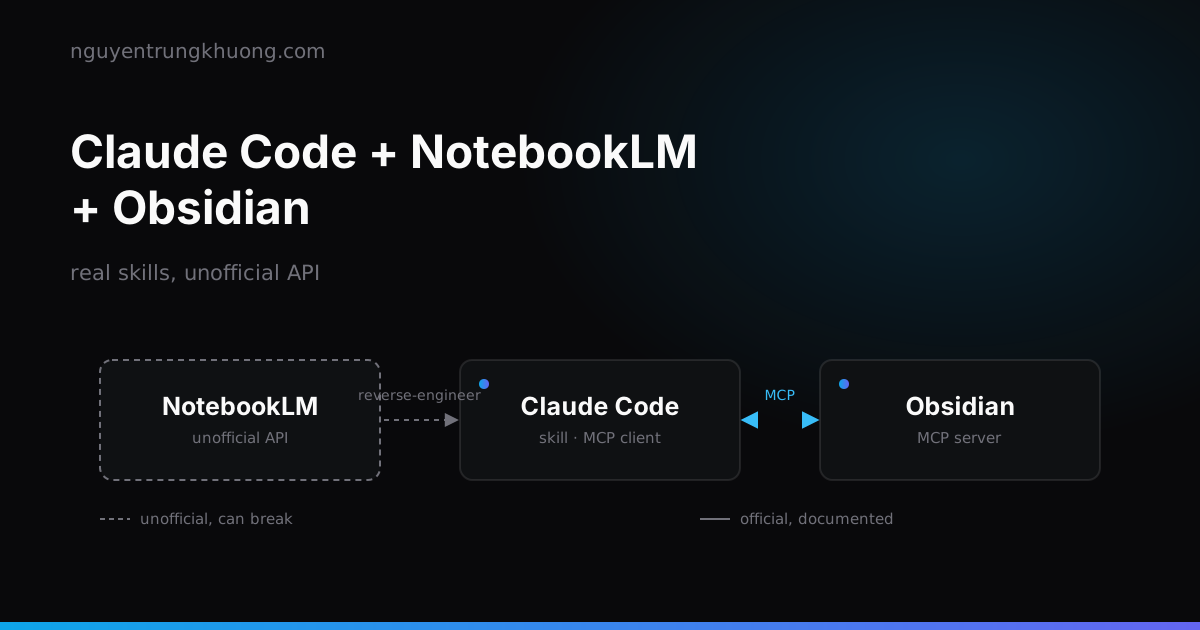 Claude Code + NotebookLM + Obsidian: a research pipeline, and the half of the bridge that is unofficialHow to combine Claude Code, NotebookLM and Obsidian into a research pipeline: which skills already exist, why NotebookLM has no API for personal accounts, and the price of wiring these three tools together.read more →
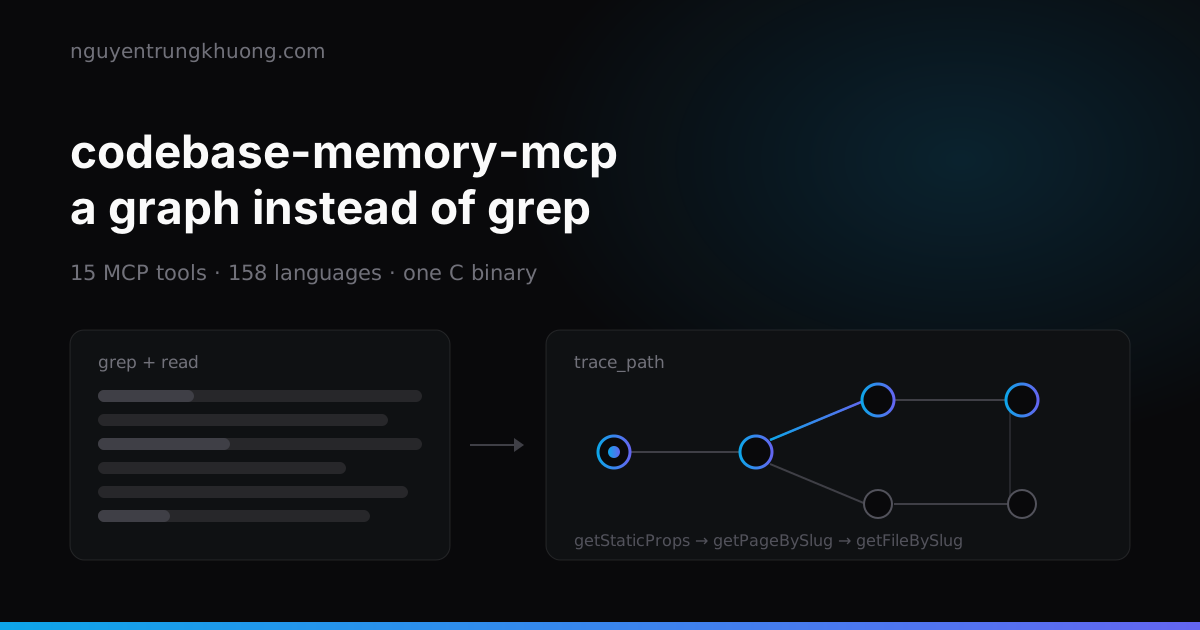 codebase-memory-mcp: a knowledge graph for your codebase, and what to watch forOne C binary indexes a whole repo into a knowledge graph, so the agent asks with a graph query instead of grepping file by file. How to install it, the three tools I use most, and two silent failures that leave the graph incomplete while it still reports indexed.read more →
 Writing a good CLAUDE.md: four rule groups and the real limits of Claude CodeCLAUDE.md works well when it is split into four clear groups: commands, rules, path-scoped architecture, and how to scale as the project grows. How to write each group within the real technical limits of Claude Code, with examples that run.read more →
 A Mac with 65% RAM free nearly panicked: the compressor, IOSurface and Playwright's WebKitA 32 GB Mac Studio panicked with 100% of compressed pages limit, then came close to a second panic that evening while RAM still showed 65% free. The page count in the compressor had filled up, and the culprit was IOSurface that Playwright WebKit left in the kernel.read more →