blog
codebase-memory-mcp: a knowledge graph for your codebase, and what to watch for
One C binary indexes a whole repo into a knowledge graph, so the agent asks with a graph query instead of grepping file by file. How to install it, the three tools I use most, and two silent failures that leave the graph incomplete while it still reports indexed.
- Published
- Updated on
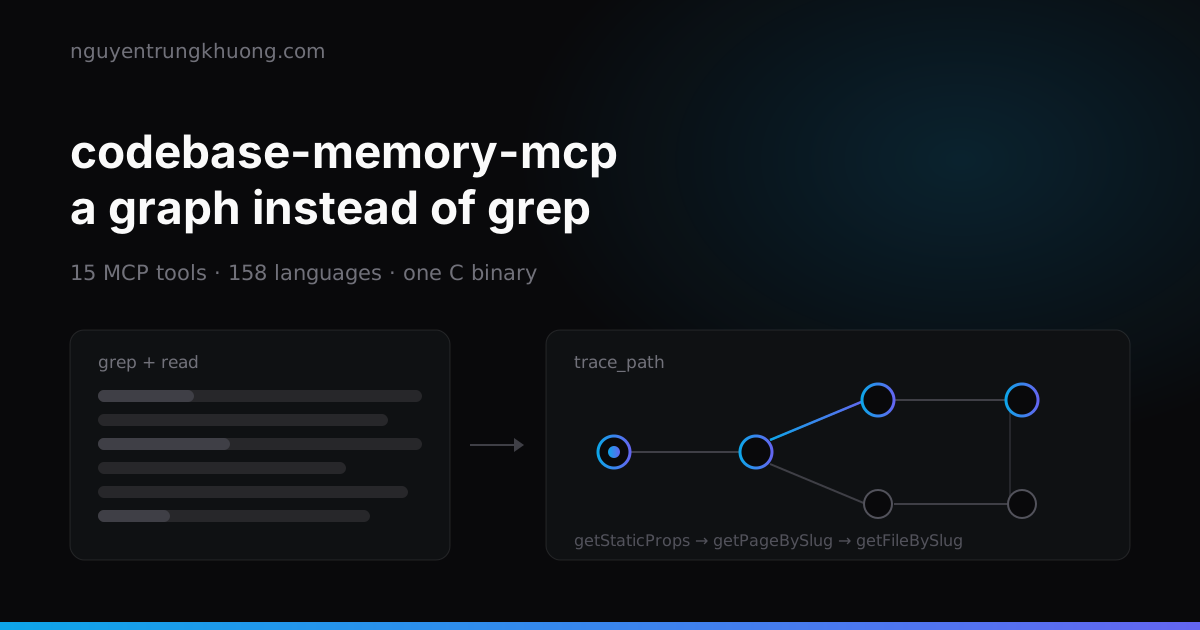
A coding agent burns most of its tokens on searching, not on editing. Every "who calls this function" question costs a few rounds of grep plus a few full-file reads. codebase-memory-mcp indexes the whole repo into a knowledge graph and answers the same question with a single query. It is only right when you control what gets into the index, and by default you do not.
What codebase-memory-mcp is: one C binary, 15 MCP tools, no LLM inside
It is an MCP server written in C, released under MIT, that parses code with 158 tree-sitter grammars embedded in the binary. The results go into SQLite under ~/.cache/codebase-memory-mcp/: the nodes are Function, Class, File, Route, Resource…, the edges are CALLS, IMPORTS, DEFINES, IMPLEMENTS, HTTP_CALLS…
Three points shape the experience:
- No LLM inside. The tool only builds and queries the graph; the agent you are chatting with is the layer that turns questions into queries. No API key, no model to configure.
- One static binary. No Docker, no Node, no Python, no language server running in the background. macOS arm64/amd64, Linux arm64/amd64, Windows amd64.
- A type resolution layer on top of tree-sitter, which the repo calls Hybrid LSP, written in C for Python, TypeScript/JavaScript/JSX/TSX, PHP, C#, Go, C, C++, Java, Kotlin, Rust and Perl. This layer lets
user.profile.display_name()link back to the rightProfile.display_namedeclared in another module, which plain tree-sitter cannot do.
The repo opened in Feb 2026. Measured on 23 Jul 2026, it had 34k stars and 311 open issues; the latest release at that point was v0.9.0, out on 8 Jul 2026 with 155k asset downloads. By 28 Oct 2026 the numbers had grown to 47k stars and 612 open issues. A later section goes into the issues in detail.
Install with one curl line, and the list of files it writes to your machine
macOS and Linux:
curl -fsSL https://raw.githubusercontent.com/DeusData/codebase-memory-mcp/main/install.sh | bash
Three flags worth knowing: --ui gets the build with the 3D graph UI, --skip-config installs only the binary and leaves agent config alone, --dir=<path> changes the install location. The binary lands in ~/.local/bin/codebase-memory-mcp.
On Windows, download install.ps1, run Unblock-File, then run it. Skip that step and Mark-of-the-Web blocks the script.
The part to read carefully: the installer detects the agents you have installed and then writes to their config, 43 client surfaces in total. For Claude Code on my machine, it touched four places:
// ~/.claude.json
"codebase-memory-mcp": { "command": "~/.local/bin/codebase-memory-mcp" }

// ~/.claude/settings.json — three hooks
"SessionStart":  "~/.claude/hooks/cbm-session-reminder"
"SubagentStart": "~/.claude/hooks/cbm-subagent-reminder"
"PreToolUse":    { "matcher": "Grep|Glob", "command": "~/.claude/hooks/cbm-code-discovery-gate" }

// ~/.claude/skills/codebase-memory/SKILL.md
The hook named cbm-code-discovery-gate sounds like it blocks a tool, but it only injects extra context and never refuses a Grep/Glob call; the name is a leftover kept for backward compatibility. Even so, this is a tool that edits your agent's config files at user scope by itself. If you want to declare it by hand, use --skip-config and add the mcpServers block yourself.
Remove it cleanly with codebase-memory-mcp uninstall. It deletes exactly the entries it created, and deletes the index only after asking.
After installing, restart the agent and tell it "index this project". Check with /mcp: you should see 15 tools.
3 tools that answer what grep cannot
search_graph searches by structure: name regex, filters by label, by file, by node degree. It has 3 independent modes: query for natural-language BM25 with camelCase splitting, name_pattern for regex, semantic_query for vector search.
trace_path is the tool I call most. It runs a BFS over CALLS edges, depth 1–5, inbound or outbound. On this very site:
trace_path(function_name="...pages.[[...slug]].getStaticProps", direction="outbound", depth=3)
hop 1  lib.mdx.getPageBySlug, getRelatedRecords, generateCollectionRss
hop 2  lib.mdx-files.getFileBySlug, getManyFilesBySlug, isCollectionFile
       lib.mdx-options.getMdxOptions, lib.mdx-parser.Parser
hop 3  lib.mdx-files.getFiles
That is exactly the repo's MDX pipeline, across four files, without knowing any file name in advance. When a function name exists in several places, it returns status: "ambiguous" with a list of qualified names to choose from, instead of guessing one at random.
The token count for that chain: the JSON response is about 330 tokens. Reading the five files in the chain by hand is 18,314 bytes, about 5,000 tokens, so roughly 15 times fewer tokens for one question. The 120x figure in the README was measured over five structural queries combined and is the most favorable scenario for the tool; what I see again and again is 10–15x.
query_graph runs read-only Cypher. Dead code in one query:
MATCH (f:Function)
WHERE NOT EXISTS { (f)<-[:CALLS]-() }
RETURN f.name, f.file_path
Anything outside the subset (MERGE, CALL, list comprehensions, parameters) returns a clear unsupported … error instead of an empty result. It is a small detail that saves a fair amount of debugging time.
Every tool can be called from the terminal, which is handy for trying things before you connect it to an agent:
codebase-memory-mcp cli list_projects
codebase-memory-mcp cli search_graph '{"project":"my-project","name_pattern":".*Handler.*"}'
Since v0.9.0, passing raw JSON like this prints a deprecation warning; the new form is flags or --args-file.
Caveat 1: 76% of this site's graph was minified bundles
When I indexed it, this repo still committed the out/ folder to git because nginx pointed its root straight at it, as described in the site's static export architecture. The graph came out at 2,831 nodes. Counting again by path:
MATCH (n) WHERE n.file_path STARTS WITH 'out/' RETURN count(n)
-- 2164
2,164 of the 2,831 nodes are minified JavaScript. The dead code query above returns names like F in out/_next/static/chunks/turbopack-*.js, which mean nothing at all. Any repo that commits build output, dist/, vendor/ or bundle files runs into exactly the same thing.
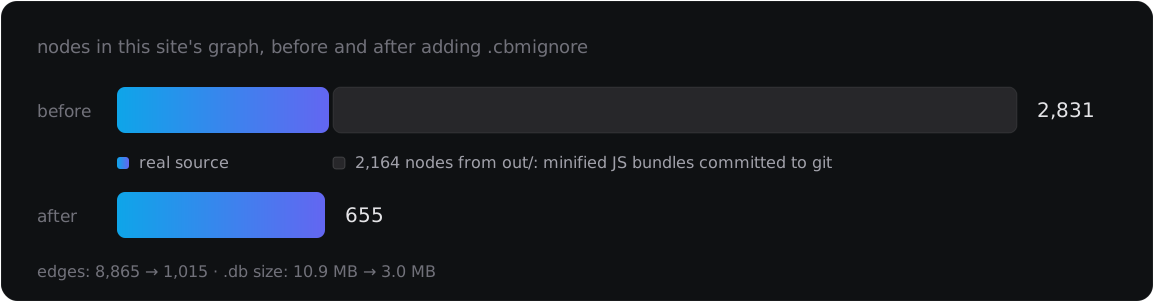
The fix is a .cbmignore at the repo root, with the same syntax as .gitignore:
out/
public/search-index.json
But adding the file and reindexing is not enough. That reindex reported excluded: ["out", ...] as expected, yet the node count stayed at 2,831 and the 2,164 old nodes were still in the graph: incremental indexing only adds and updates, it does not clean out what is now excluded. You have to delete the project outright and rebuild it:
codebase-memory-mcp cli delete_project '{"project":"<project name>"}'
codebase-memory-mcp cli index_repository '{"repo_path":"/absolute/path/to/repo"}'
The result after cleanup: 2,831 → 655 nodes, 8,865 → 1,015 edges, .db file 10.9 MB → 3.0 MB. Same repo, same question; the difference is whether the agent has to wade through minified bundles.
Before you index your first repo:
- Write the
.cbmignorefirst, listing every build output folder that is in git - After indexing, count:
MATCH (n) WHERE n.file_path STARTS WITH '<folder>/' RETURN count(n) - If you change
.cbmignoreafter indexing, always rundelete_projectand index again
Caveat 2: .gitignore swallows 1,166 PHP files and it still reports "indexed"
File filtering is layered: hard-coded patterns (.git, node_modules) → the whole .gitignore tree → .cbmignore. The middle layer is where it hurts.
I indexed a WordPress site: 494 files in git, and the index returned status: "indexed", 752 nodes, skipped_count: 0. A closer look at the excluded field showed core. That repo gitignores the core/ folder, which holds WordPress's 1,166 PHP files. The entire core vanished from the graph, and nothing in the result said the graph was missing anything; skipped_count was still 0 because, as far as the tool knew, those files never existed.
This scenario is more common than it looks: WordPress gitignores core, many PHP projects gitignore vendor/, Go projects gitignore generated code. An agent asking "where is wp_insert_post defined" gets an empty answer, then wrongly concludes that the function does not exist.
The community has hit the same class of bug in a worse form: issue #333 reports status: "indexed" with only about 500 nodes for a 72k-line Rust codebase. v0.9.0 added a CBM_DUMP_VERIFY_MIN_RATIO variable that returns status: "degraded" when the number of nodes written to SQLite drops below half of the nodes built, but it only catches failures at the write step, not at the file selection step.
After every index, check three things:
- Read the
excludedfield in the result, not juststatus - Compare the node count with the size of the repo: a few hundred nodes for tens of thousands of lines is a sign something broke
- If a source folder is gitignored, negate it in
.cbmignorewith!core/
6 background processes, 186 MB of cache and 311 open issues (measured 23 Jul 2026)
Each agent session starts its own stdio process, and they do not exit on their own. On my machine after a few days:
5 × codebase-memory-mcp (stdio)   ~9–10 MB each
1 × codebase-memory-mcp --ui      ~80 MB
The stdio build really is light, but the count only goes up. The --ui build costs nine times as much as a background process in exchange for a 3D graph at localhost:9749; I turn it on when I need an overview of an unfamiliar repo and keep it off otherwise. A quick check: pgrep -fl codebase-memory.
Disk usage is not small either. Three projects in my cache take 186 MB, and one Laravel repo with 28,395 nodes accounts for 123 MB, about 4.3 KB per node, because the 768-dimension embeddings and the full-text index live in the same file. To move it, set CBM_CACHE_DIR.
The open issue list is worth reading before you put the tool on your main work machine. The clusters that come up most:
- Long-running memory leak, #581: the process grows past 50 GB of virtual memory after a few hours to a few days on Windows
- Indexing a large repo never finishes or gets killed: #524, #1070
- PHP is the buggiest language: #1072 livelock and unbounded RAM, #606 false-positive
CALLSedges on framework method calls trace_pathaccepts an invaliddirectionwithout an error and returns an empty result as if there were no edges: #480- Windows is the weakest platform, with enough bugs to have a dedicated umbrella issue: #394
As of 23 Jul 2026, the repo was only five months old and already had 36 releases, and most issues get a reply. But 311 open issues means you will run into at least one of them, and you should know in advance that it is the tool's bug and not yours.
The real plus is in how it ships: every binary comes with a SHA-256 checksum, a cosign signature, SLSA Level 3 provenance and a VirusTotal scan result of 0/72 published with the release. For a tool that writes to your agent config by itself, that level of transparency is the minimum it should have, and here it has it.
The config I kept: auto_index on, auto_watch depending on how many repos
codebase-memory-mcp config set auto_index true           # index new projects when a session starts
codebase-memory-mcp config set auto_index_limit 50000    # file count cap for auto index
codebase-memory-mcp config set auto_watch true           # watcher that tracks changes through git
With auto_index on, a new project goes into the graph on its first connection, and existing projects are registered with the watcher to update incrementally. An incremental index with nothing changed takes 0.21 seconds, cheap enough that you never think about it.
The flip side: with auto_watch on, every project you touch becomes a permanent entry. If you jump between many repos in a day, turn it off (auto_watch false) and index by hand only the repos that really need it.
If a repo has unusual file extensions, declare them in .codebase-memory.json at the root. Laravel is the clearest example:
{ "extra_extensions": { ".blade.php": "php" } }
For a team, turn on persistence: true when indexing: the tool writes .codebase-memory/graph.db.zst (zstd compressed, 8–13:1 ratio) to commit to the repo, so a new person who clones it only indexes the difference instead of rebuilding from scratch.
The trade-off of letting the agent read a graph instead of files
This tool is worth installing if you work on repos big enough that finding code costs more tokens than changing it, and you accept spending the first fifteen minutes on a proper .cbmignore. Installing it and forgetting about it is the fastest way to get an agent reading a half-built graph and then confidently giving a wrong answer.
Where I still do not trust it: negative answers. When the graph says "nobody calls this function", it only means nobody calls it within what was indexed, and as the two sections above show, the part that was not indexed can be bigger than the part that was. For a negative question, I still grep once more.
Not done yet: I have not tried ingest_traces to check HTTP_CALLS edges against runtime traces, and I have not measured the --ui build on a repo with more than a million nodes, where #402 reports the UI crashing while building the 3D graph.
Related posts
all posts →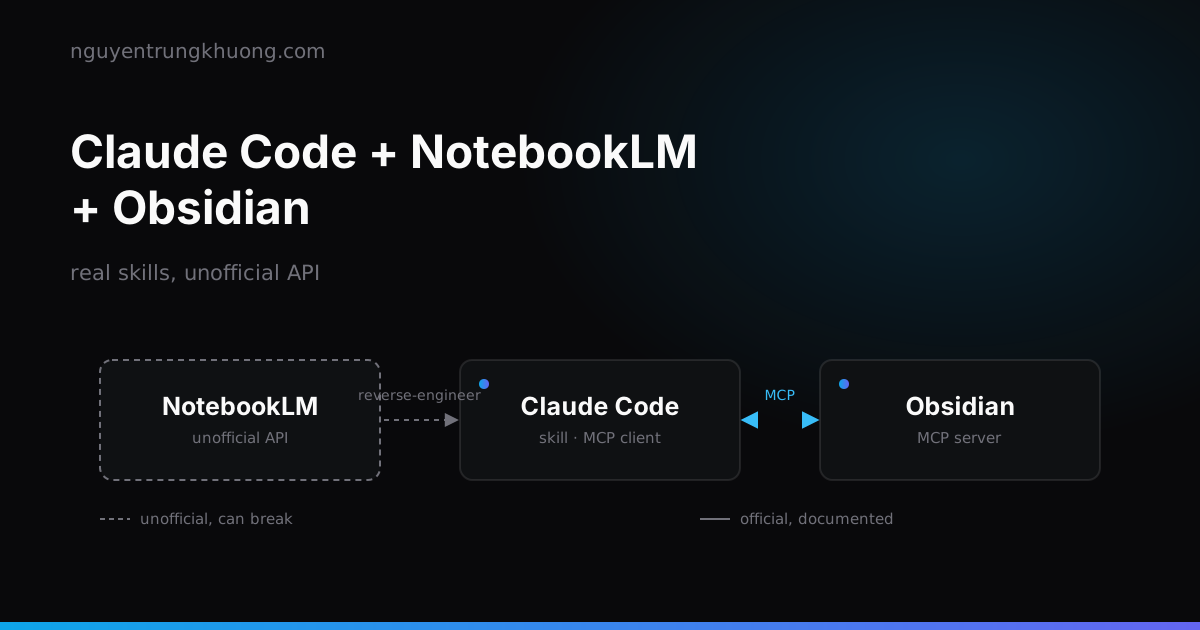 Claude Code + NotebookLM + Obsidian: a research pipeline, and the half of the bridge that is unofficialHow to combine Claude Code, NotebookLM and Obsidian into a research pipeline: which skills already exist, why NotebookLM has no API for personal accounts, and the price of wiring these three tools together.read more →
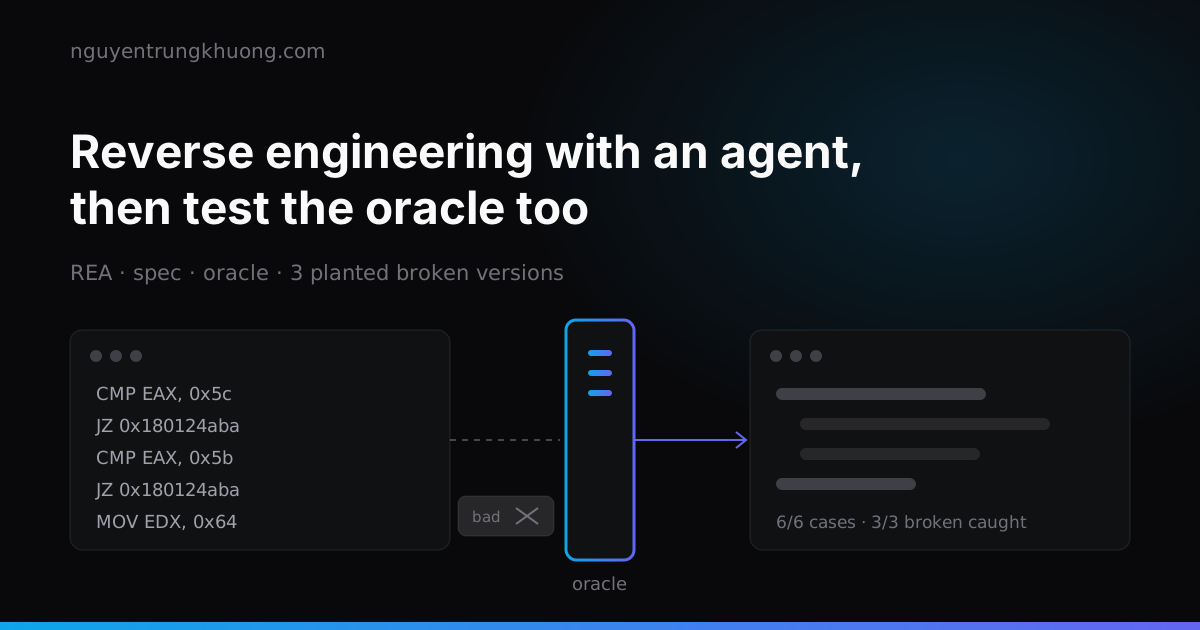 REA: letting an agent reverse engineer software, then testing the oracle tooREA lets a coding agent read a program that has no source, down to machine code, then rebuild that feature in its own code. Whether the rebuild is right is up to the oracle, and the oracle is code too, with its own bugs.read more →
 Top 10 Claude Code skills by GitHub stars: what each one does and which ones overlapThe ten Claude Code skill sets with the most GitHub stars on 29 Oct 2026: Superpowers, Matt Pocock Skills, Karpathy Skills, Anthropic Skills, Ponytail, UI UX Pro Max, Graphify, Caveman, Agent Skills, Taste Skill. Each one with its install command, what it does and where it overlaps with another set.read more →
 Writing a good CLAUDE.md: four rule groups and the real limits of Claude CodeCLAUDE.md works well when it is split into four clear groups: commands, rules, path-scoped architecture, and how to scale as the project grows. How to write each group within the real technical limits of Claude Code, with examples that run.read more →